


SEO Beschrijving
Cheap screens look like a bargain on the invoice but cost your shop far more in returns, rework, and lost reputation. Understand the true economics of premium replacement screens.
Every phone repair shop owner has stared at a wholesale catalog and asked: why do premium replacement screens cost so much more — and is the difference actually worth it? This guide unpacks screen grading tiers, the reputation damage of cheap LCDs, the hidden cost of callbacks, and a practical sourcing playbook for shops that want their repairs to stick.
The Real Difference Between Grade A, Grade B, and Factory Seconds
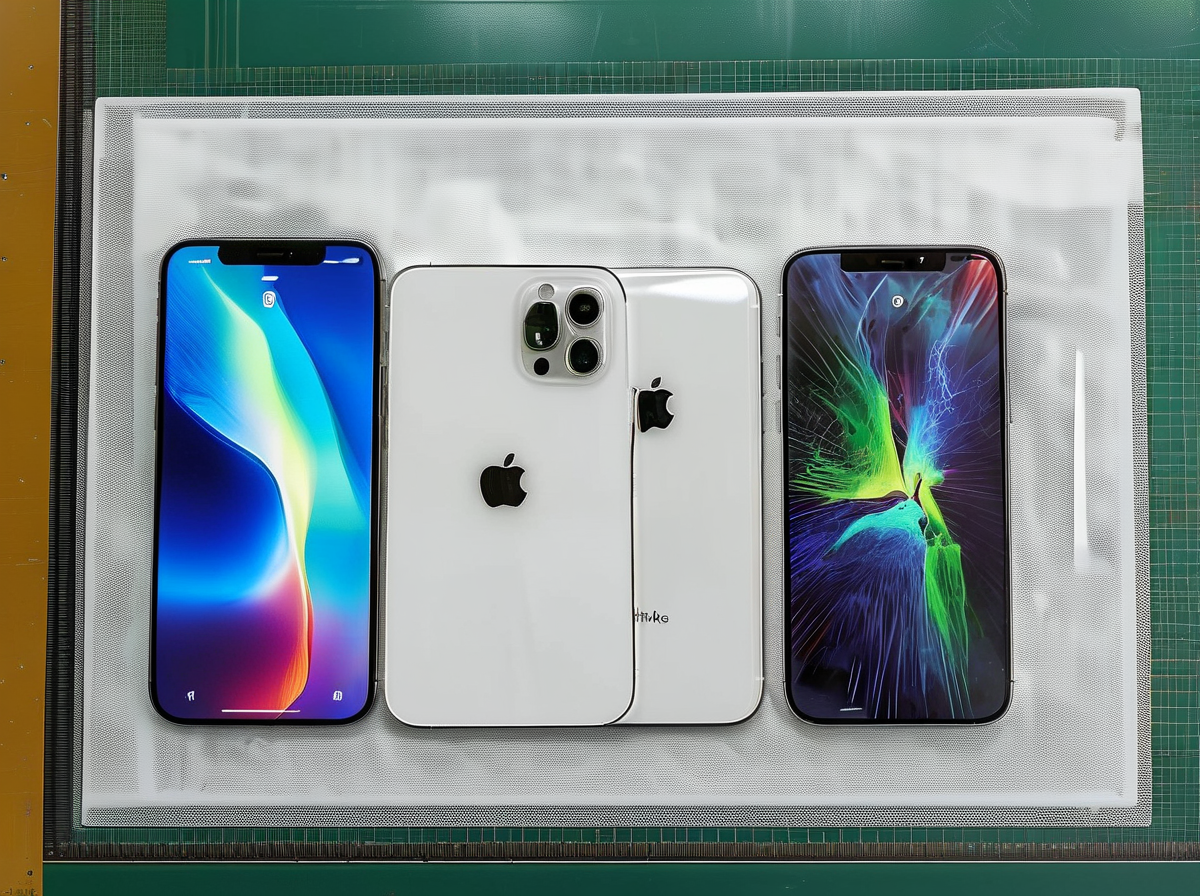




Walk into any wholesale supplier’s catalog and you’ll see screens labeled “Grade A,” “Grade B,” “Premium,” “AAA+,” “Original Refresh,” or — the one that really trips up new shop owners — “Factory Seconds.” The naming is inconsistent across suppliers, but the underlying quality tiers are not. Understanding them is what separates a repair shop with a 4.9-star rating from one fielding customer complaints about display quality within a week.
Grade A / Premium Replacement Screens: What You’re Actually Paying For
Grade A — sometimes called “Premium” or “OEM-comparable” — is the top tier of aftermarket replacement screens. These displays use fresh glass, a properly laminated digitizer, and a backlight assembly that matches or closely approximates OEM specifications. When you hold a Grade A iPhone screen next to an original, the differences should be nearly imperceptible without magnification or measurement tools.
Here’s what a genuine Grade A premium replacement screen delivers in practice:
- Color temperature: Whitepoint lands within 100-200K of original. No blue shift or yellow cast when the customer scrolls through a white webpage.
- Helderheid: Maximum brightness hits at least 90-95% of OEM spec. The phone doesn’t look “dim” outdoors.
- Touch responsiveness: No dead zones, no ghost touches, no lag on edge swipes. The digitizer glass is properly bonded to the LCD/OLED panel — not floating.
- Oleophobic coating: Present and functional. Fingerprints wipe off, they don’t smear into a permanent haze after two weeks.
- Frame/bezel alignment: The screen sits flush. No gap on one corner, no raised edge that catches your fingernail.
At Screen Stocks, every premium replacement screen in inventory is QC-checked against these five points before it ships. That’s not a marketing line — it’s the difference between installing a screen and moving on, versus installing a screen and praying the customer doesn’t come back.
Grade B: The Compromise Tier
Grade B displays are where the cost-cutting becomes visible. These screens typically have one or more of the following issues: minor backlight bleed along one edge, a slight color cast (often bluish or warmer than spec), weaker maximum brightness, or a lower-quality polarizer that makes the screen wash out at off-angles.
In practice, a Grade B screen werkt. The customer’s phone turns on, the touchscreen responds, and at a glance it looks fine. The problems surface over time: the oleophobic coating — if it was ever applied — wears off in weeks. The backlight unevenness becomes obvious when the customer uses their phone in a dark room. And because the glass-to-digitizer lamination is often lower quality, these screens are more prone to lifting or developing a “halo” effect around the edges after a few months of pocket heat.
Repair shops that use Grade B screens on the regular learn a hard lesson: the $8-$12 you save per screen disappears the first time a customer returns for a warranty re-repair, costing you labor, a replacement part, and — worst of all — trust.
Factory Seconds: The Budget Trap
“Factory seconds” is a polite term for screens that failed QC at the manufacturing level. These are not b-stock; they’re screens that someone at the factory flagged for a defect and that should have been scrapped — but weren’t. They enter the gray market at steep discounts, and some suppliers resell them with creative labeling (e.g., “Economic Grade,” “Budget Line,” or the ever-popular “AAA+” — a term with zero standardized meaning).
What you might find in a factory-second screen:
- Dead pixels or a visible pressure mark (mura) that’s visible on a white background.
- Backlight bleed covering 20% or more of the display edge.
- Scratched or improperly cured glass that’s more brittle than spec.
- Digitizer issues — intermittent touch failure when the phone flexes, or a “dead strip” across one section.
- Incorrect or missing polarizer layers that make the screen unreadable with polarized sunglasses.
Some factory seconds are genuinely installable and functional — but the failure rate is unpredictable. One batch might have 10% defects; the next, 40%. For a repair shop, that gamble makes no sense when your reputation is attached to every screen you install.
Quick Comparison Checklist for Shop Owners
| What to Check | Grade A / Premium | Grade B | Factory Seconds |
|---|---|---|---|
| Color accuracy vs. OEM | Near-identical | cURL Too many subrequests by single Worker invocation. To configure this limit, refer to https://developers.cloudflare.com/workers/wrangler/configuration/#limits | cURL Too many subrequests by single Worker invocation. To configure this limit, refer to https://developers.cloudflare.com/workers/wrangler/configuration/#limits |
| cURL Too many subrequests by single Worker invocation. To configure this limit, refer to https://developers.cloudflare.com/workers/wrangler/configuration/#limits | cURL Too many subrequests by single Worker invocation. To configure this limit, refer to https://developers.cloudflare.com/workers/wrangler/configuration/#limits | 70-85% | cURL Too many subrequests by single Worker invocation. To configure this limit, refer to https://developers.cloudflare.com/workers/wrangler/configuration/#limits |
| cURL Too many subrequests by single Worker invocation. To configure this limit, refer to https://developers.cloudflare.com/workers/wrangler/configuration/#limits | cURL Too many subrequests by single Worker invocation. To configure this limit, refer to https://developers.cloudflare.com/workers/wrangler/configuration/#limits | cURL Too many subrequests by single Worker invocation. To configure this limit, refer to https://developers.cloudflare.com/workers/wrangler/configuration/#limits | cURL Too many subrequests by single Worker invocation. To configure this limit, refer to https://developers.cloudflare.com/workers/wrangler/configuration/#limits |
| Oleofobe coating | cURL Too many subrequests by single Worker invocation. To configure this limit, refer to https://developers.cloudflare.com/workers/wrangler/configuration/#limits | cURL Too many subrequests by single Worker invocation. To configure this limit, refer to https://developers.cloudflare.com/workers/wrangler/configuration/#limits | cURL Too many subrequests by single Worker invocation. To configure this limit, refer to https://developers.cloudflare.com/workers/wrangler/configuration/#limits |
| cURL Too many subrequests by single Worker invocation. To configure this limit, refer to https://developers.cloudflare.com/workers/wrangler/configuration/#limits | cURL Too many subrequests by single Worker invocation. To configure this limit, refer to https://developers.cloudflare.com/workers/wrangler/configuration/#limits | cURL Too many subrequests by single Worker invocation. To configure this limit, refer to https://developers.cloudflare.com/workers/wrangler/configuration/#limits | cURL Too many subrequests by single Worker invocation. To configure this limit, refer to https://developers.cloudflare.com/workers/wrangler/configuration/#limits |
| cURL Too many subrequests by single Worker invocation. To configure this limit, refer to https://developers.cloudflare.com/workers/wrangler/configuration/#limits | cURL Too many subrequests by single Worker invocation. To configure this limit, refer to https://developers.cloudflare.com/workers/wrangler/configuration/#limits | cURL Too many subrequests by single Worker invocation. To configure this limit, refer to https://developers.cloudflare.com/workers/wrangler/configuration/#limits | Veelvoorkomende |
| cURL Too many subrequests by single Worker invocation. To configure this limit, refer to https://developers.cloudflare.com/workers/wrangler/configuration/#limits | cURL Too many subrequests by single Worker invocation. To configure this limit, refer to https://developers.cloudflare.com/workers/wrangler/configuration/#limits | cURL Too many subrequests by single Worker invocation. To configure this limit, refer to https://developers.cloudflare.com/workers/wrangler/configuration/#limits | Often doesn’t sit flush |
| Warranty risk | Laag | Matig | High — avoid entirely |
If your shop’s value proposition is “cheapest repair in town,” you might be tempted by Grade B pricing. But if your reputation rests on customers not being able to tell the difference between their repaired phone and a new one, premium replacement screens are the only tier that won’t erode that trust. Screen Stocks carries a full range of Grade A premium replacement screens for iPhone, Samsung, and Google Pixel — and they don’t touch Grade B or factory seconds, because the short-term margin isn’t worth the long-term cost to your business.
How Cheap LCDs and Incell Screens Damage Your Shop’s Reputation
Every repair shop owner has heard it: “You fixed my phone last week, and now the screen is flickering.” Or worse — “The colours look completely off compared to before.” These complaints almost always trace back to one decision: installing a cheap LCD or low-grade incell screen instead of a proper premium replacement. What looks like a cost-saving win on the purchase order becomes a reputation time bomb the moment that phone walks out your door.
The Customer Experience Gap
Customers don’t know the difference between OLED, hard OLED, soft OLED, incell, and aftermarket LCD — and they shouldn’t have to. What they do know is what their phone looked and felt like before they dropped it. When a cheap LCD replacement delivers washed-out colours, a noticeably thicker bezel, or a display that dims awkwardly at the edges, your customer notices immediately. They may not complain on the spot — many feel awkward confronting a technician — but they will tell friends, family, and most damagingly, they will write about it online.
Common real-world complaints triggered by budget screens include:
- Touch responsiveness lag: cheap digitizers miss swipes, register phantom touches, or freeze momentarily during fast typing. For customers who live on their phones, this is infuriating.
- Colour and brightness mismatch: an aftermarket LCD can look blue-tinted, overly warm, or struggle outdoors. iPhone users accustomed to True Tone and wide colour gamut notice the downgrade within minutes.
- Battery drain: poor-quality screen assemblies draw more power than OEM-spec panels. A customer who used to get a full day suddenly needs to charge by 4pm — and they will blame your repair.
- Lift and gap issues: cheap frames don’t seat flush. Dust creeps under the glass. Within weeks, the screen lifts at the corner. The customer blames your workmanship, even if your technician did everything right.
- Sudden failure: substandard flex cables crack, backlights fail, dead pixel clusters appear. A screen that dies three months in erases any goodwill your shop ever built.
The Review Spiral: One Bad Screen, A Hundred Lost Customers
A customer leaves unhappy but says nothing. They go home and post a one-star review on Google Maps or Yelp. That review sits there permanently, influencing every prospect who searches “[city] phone repair” for years. You now need five five-star reviews just to neutralise the average-score impact of that single complaint — and a one-star drop in rating correlates with a 5–9% revenue decline for independent businesses. In phone repair, where trust is everything and customers are anxious about handing over a $1,000 device, a pattern of quality complaints cuts walk-in traffic faster than any competitor’s marketing.
The damage compounds. Google’s local ranking algorithm factors in review velocity, recency, and sentiment. A trickle of “screen stopped working after 2 weeks” reviews signals declining quality, pushing your shop lower in local search results. Suddenly you are not just fighting a reputation problem — you are fighting an invisibility problem.
Warning Signs You Are Stocking Problem Screens
Before the reviews start rolling in, your technicians usually see the red flags. Watch for these indicators:
- Return rate above 5% on any given screen model — even 3% should trigger a supplier review
- Multiple customers calling back within 48 hours about sensitivity or display issues
- Noticeable variation in colour temperature or brightness between two units of the same SKU
- Frame or bezel alignment that requires “making it fit” rather than a clean drop-in
- Flex cable routing that feels fragile or forces the technician to bend at an awkward angle
- Packaging that lacks proper ESD protection or arrives with visible handling damage
- Supplier pricing that is suspiciously below market — if a screen costs half what reputable distributors charge, the corners cut are almost certainly the ones your customers will feel
Protecting Your Reputation Starts with Your Supply Chain
The repair shops that thrive long-term treat screen sourcing as a reputation decision, not a cost decision. They recognise that the true cost of a cheap screen includes the refund, the technician time wasted on the re-repair, the lost customer, and the one-star review that never disappears.
Working with a focused wholesale supplier like Screen Stocks means stocking screens that have been graded consistently — so the iPhone 12 screen you install today performs identically to the one you install next week. Consistency builds a reputation for reliable repairs, and reliability is what keeps your Google rating above 4.7 stars.
The shops winning in 2026 are not the ones racing to the bottom on price. They are the ones customers trust enough to recommend to their mother. That trust starts with the component between the glass and the frame — and no amount of friendly service can compensate for a screen that simply does not work the way it should.
The Hidden Cost of Screen Returns and Customer Callbacks
When a customer returns with a failed screen, most shop owners see the immediate loss — a replacement part and another hour of bench time. But the real cost of cheap, unreliable screens runs far deeper than a single warranty claim. Every return triggers a cascade of expenses that quietly erodes margins, damages your reputation, and steals capacity you could be using for profitable new repairs.
Breaking Down the True Cost of a Single Return
Let’s put real numbers to a typical screen return. The figures below assume a mid-range smartphone screen repair priced at $120 with a B-grade aftermarket part costing $35 wholesale:
| Cost Category | Description | Amount |
|---|---|---|
| cURL Too many subrequests by single Worker invocation. To configure this limit, refer to https://developers.cloudflare.com/workers/wrangler/configuration/#limits | cURL Too many subrequests by single Worker invocation. To configure this limit, refer to https://developers.cloudflare.com/workers/wrangler/configuration/#limits | $35.00 |
| cURL Too many subrequests by single Worker invocation. To configure this limit, refer to https://developers.cloudflare.com/workers/wrangler/configuration/#limits | cURL Too many subrequests by single Worker invocation. To configure this limit, refer to https://developers.cloudflare.com/workers/wrangler/configuration/#limits | $30.00 |
| cURL Too many subrequests by single Worker invocation. To configure this limit, refer to https://developers.cloudflare.com/workers/wrangler/configuration/#limits | cURL Too many subrequests by single Worker invocation. To configure this limit, refer to https://developers.cloudflare.com/workers/wrangler/configuration/#limits | $8.00 |
| cURL Too many subrequests by single Worker invocation. To configure this limit, refer to https://developers.cloudflare.com/workers/wrangler/configuration/#limits | cURL Too many subrequests by single Worker invocation. To configure this limit, refer to https://developers.cloudflare.com/workers/wrangler/configuration/#limits | $15.00 |
| cURL Too many subrequests by single Worker invocation. To configure this limit, refer to https://developers.cloudflare.com/workers/wrangler/configuration/#limits | cURL Too many subrequests by single Worker invocation. To configure this limit, refer to https://developers.cloudflare.com/workers/wrangler/configuration/#limits | $50.00 |
| cURL Too many subrequests by single Worker invocation. To configure this limit, refer to https://developers.cloudflare.com/workers/wrangler/configuration/#limits | $138.00 |
cURL Too many subrequests by single Worker invocation. To configure this limit, refer to https://developers.cloudflare.com/workers/wrangler/configuration/#limits cURL Too many subrequests by single Worker invocation. To configure this limit, refer to https://developers.cloudflare.com/workers/wrangler/configuration/#limits. cURL Too many subrequests by single Worker invocation. To configure this limit, refer to https://developers.cloudflare.com/workers/wrangler/configuration/#limits.
cURL Too many subrequests by single Worker invocation. To configure this limit, refer to https://developers.cloudflare.com/workers/wrangler/configuration/#limits
cURL Too many subrequests by single Worker invocation. To configure this limit, refer to https://developers.cloudflare.com/workers/wrangler/configuration/#limits.
cURL Too many subrequests by single Worker invocation. To configure this limit, refer to https://developers.cloudflare.com/workers/wrangler/configuration/#limits
| cURL Too many subrequests by single Worker invocation. To configure this limit, refer to https://developers.cloudflare.com/workers/wrangler/configuration/#limits | cURL Too many subrequests by single Worker invocation. To configure this limit, refer to https://developers.cloudflare.com/workers/wrangler/configuration/#limits | |
|---|---|---|
| cURL Too many subrequests by single Worker invocation. To configure this limit, refer to https://developers.cloudflare.com/workers/wrangler/configuration/#limits | $3,500 | $4,800 |
| cURL Too many subrequests by single Worker invocation. To configure this limit, refer to https://developers.cloudflare.com/workers/wrangler/configuration/#limits | 10% (10 returns) | 2% (2 returns) |
| Return cost (@ $138/return) | $1,380 | $276 |
| Average Google review damage | High (multiple 1–2 star reviews) | Low (isolated incidents) |
| True total cost | $4,880 | $5,076 |
| Effective cost per screen | $48.80 | $50.76 |
The “cheap” screen’s effective cost ends up nearly identical to the premium option — but that’s the best-case scenario. The budget screen also loaded your calendar with eight extra rework appointments, burned technician morale, and generated dissatisfied customers who won’t return and may leave negative reviews. The premium screen, sourced through a vetted supplier like Screen Stocks, gives you predictable quality and lets your team focus on revenue-generating repairs instead of putting out fires.
The Compounding Damage of Callbacks
Returns don’t happen in isolation. A shop running 30–40 repairs a week with a 10% failure rate fields three to four callbacks every week. That’s half a day of technician capacity lost to rework — every single week. Over a year, that’s roughly 200 hours of unbillable labor, equivalent to five full working weeks.
Worse, callbacks cluster. A bad batch of budget screens can produce a wave of returns all at once, overwhelming your schedule at the worst possible time. Your best customers — the ones who refer friends and leave reviews — are the ones most likely to be affected, because they’re the ones who notice poor touch sensitivity, color shifts, or lifting glass.
The shops that thrive in this industry understand a simple principle: the wholesale price on the invoice isn’t the cost that matters. It’s the total cost of ownership — including returns, rework, and reputation damage — that determines whether your repair business grows or stagnates. Spending a few extra dollars per unit on quality-controlled premium replacement screens is the cheapest insurance policy you can buy against the hidden costs that quietly kill repair shop margins.
How to Explain Screen Quality Differences to Price-Sensitive Customers
Every repair shop has faced the moment: a customer walks in, gets a quote for a premium screen replacement, and immediately asks, “Can you do it cheaper?” or “My friend told me the parts only cost $20 online — why are you charging so much?” How you answer determines whether you close the sale at full price, watch the customer walk out, or — worst case — discount yourself into a repair that costs you money the moment anything goes wrong.
The shops that win on premium pricing don’t win through slick sales tactics. They win because their counter staff have internalized a simple truth: customers aren’t really asking about price. They’re asking about risk. “Will I regret paying more? Is the expensive option actually better, or am I just getting ripped off?” Your job is to answer the risk question, not the price question.
Script 1: When a Customer Asks for the Cheaper Option
Customer: “Can you just put in the cheaper screen? I don’t need the premium one.”
You: “Absolutely, we can do that. Just so you know what to expect: the budget screen will make your phone work, but a few things will be different from your original display. The colors won’t look quite the same — typically the screen runs a bit cooler or warmer. The brightness outdoors won’t match what you’re used to. And we can only warranty it for 30 days instead of our standard 90, because these screens have a higher failure rate. If you’re okay with those tradeoffs, I can absolutely get it done. But honestly, for the extra $25-30, most of our customers prefer not having to think about it — they just want their phone to look and feel exactly like it did before the drop.”
Why this works: You’ve validated their question, given them real specifics (not vague warnings), made the cheaper option still available (you’re not forcing the upsell), and reframed the premium option as the safe default rather than an upgrade. The phrase “most of our customers prefer” is social proof without being pushy.
Script 2: The “Online Parts Are Cheaper” Objection
Customer: “I saw the same screen online for $25. Why are you charging $130 for the repair?”
You: “The screen is one part of what you’re paying for. But here’s what happens when people try the do-it-yourself route: one out of every four or five first-timers damages something else inside the phone — the flex cable, the proximity sensor, the front camera. At that point the repair costs twice as much as it would have to just let us do it right the first time. Our price includes a screen that’s been QC-checked, an installation that’s been done thousands of times, and a 90-day warranty. If anything goes wrong, you walk back in here and we fix it — no arguing, no return shipping, no waiting. That’s the difference.”
Why this works: You’re not dismissing the online price as junk — you’re acknowledging it and explaining the value bundle. The DIY risk stat (1 in 4-5 first-timers cause damage) is specific and memorable. And you end with the sharpest differentiator a local shop has over online: someone to walk back to.
Script 3: The “I Can Get It Done Cheaper Down the Street” Threat
Customer: “The shop two blocks over charges $30 less for screen repairs.”
You: “They might — and I’m not going to knock them. Here’s what I’d ask if I were you: ask them what kind of screen they’re installing. Ask what the warranty period is. Ask whether True Tone and Face ID will still work after the repair. If all their answers match ours at a lower price, I’d honestly recommend you go there — that’s a great deal. But in my experience, when the price is $30 lower, something else is lower too: the screen grade, the warranty length, or the time they spend on calibration.”
Why this works: It’s disarmingly honest. You’ve told the customer to go to the competitor if the offer is truly better — which builds enormous trust. And you’ve armed them with specific screening questions that will almost certainly expose the competitor’s corner-cutting. The customer now views you as an advisor, not a seller.
What All Three Scripts Share
Notice the pattern: none of these scripts attack the cheaper option as worthless. None use marketing language (“our screens are the best!”). Each one gives the customer concrete, relevant information about what they’re actually buying, frames the premium choice as risk reduction, and leaves the final decision with the customer. When you train your counter staff to speak this way, you’ll find that most customers choose the premium option — not because they were pressured, but because you gave them a good reason.
Behind the scenes, your ability to offer that 90-day warranty with confidence depends on one thing: screens that don’t fail. That’s where consistently graded, QC-checked premium replacement screens from a focused supplier like Screen Stocks make all the difference. The best counter script in the world can’t save you from a batch of screens that start failing at day 45.
Building a Premium-Only Screen Sourcing Strategy That Actually Works
Switching from a mixed inventory to premium-only sourcing isn’t something you do overnight. The shops that pull it off successfully treat it as a phased transition — not a flip of a switch. Here’s how to do it without disrupting your repair pipeline or alienating your existing customer base.
Phase 1: Audit What You Actually Have
Before ordering a single new screen, take stock of your current inventory. Separate every SKU into three buckets: premium (OEM-grade or high-tier aftermarket), mid-range, and budget. Tally your defect rates by bucket. Most shop owners are surprised to find that budget screens account for 70–80% of their warranty claims, comebacks, and wasted bench time — even if they only represent 20% of units sold. That data is your business case for the switch. Write down the real cost of each budget screen: purchase price plus labor for the original install plus labor for the rework plus the cost of whatever you give the customer to make it right. That number is almost always higher than the premium screen’s wholesale price.
cURL Too many subrequests by single Worker invocation. To configure this limit, refer to https://developers.cloudflare.com/workers/wrangler/configuration/#limits
cURL Too many subrequests by single Worker invocation. To configure this limit, refer to https://developers.cloudflare.com/workers/wrangler/configuration/#limits.
cURL Too many subrequests by single Worker invocation. To configure this limit, refer to https://developers.cloudflare.com/workers/wrangler/configuration/#limits
cURL Too many subrequests by single Worker invocation. To configure this limit, refer to https://developers.cloudflare.com/workers/wrangler/configuration/#limits
- cURL Too many subrequests by single Worker invocation. To configure this limit, refer to https://developers.cloudflare.com/workers/wrangler/configuration/#limits. cURL Too many subrequests by single Worker invocation. To configure this limit, refer to https://developers.cloudflare.com/workers/wrangler/configuration/#limits.
- cURL Too many subrequests by single Worker invocation. To configure this limit, refer to https://developers.cloudflare.com/workers/wrangler/configuration/#limits. cURL Too many subrequests by single Worker invocation. To configure this limit, refer to https://developers.cloudflare.com/workers/wrangler/configuration/#limits.
- cURL Too many subrequests by single Worker invocation. To configure this limit, refer to https://developers.cloudflare.com/workers/wrangler/configuration/#limits. cURL Too many subrequests by single Worker invocation. To configure this limit, refer to https://developers.cloudflare.com/workers/wrangler/configuration/#limits.
- cURL Too many subrequests by single Worker invocation. To configure this limit, refer to https://developers.cloudflare.com/workers/wrangler/configuration/#limits. cURL Too many subrequests by single Worker invocation. To configure this limit, refer to https://developers.cloudflare.com/workers/wrangler/configuration/#limits.
- cURL Too many subrequests by single Worker invocation. To configure this limit, refer to https://developers.cloudflare.com/workers/wrangler/configuration/#limits. cURL Too many subrequests by single Worker invocation. To configure this limit, refer to https://developers.cloudflare.com/workers/wrangler/configuration/#limits.
cURL Too many subrequests by single Worker invocation. To configure this limit, refer to https://developers.cloudflare.com/workers/wrangler/configuration/#limits
cURL Too many subrequests by single Worker invocation. To configure this limit, refer to https://developers.cloudflare.com/workers/wrangler/configuration/#limits
- cURL Too many subrequests by single Worker invocation. To configure this limit, refer to https://developers.cloudflare.com/workers/wrangler/configuration/#limits cURL Too many subrequests by single Worker invocation. To configure this limit, refer to https://developers.cloudflare.com/workers/wrangler/configuration/#limits.
- cURL Too many subrequests by single Worker invocation. To configure this limit, refer to https://developers.cloudflare.com/workers/wrangler/configuration/#limits. cURL Too many subrequests by single Worker invocation. To configure this limit, refer to https://developers.cloudflare.com/workers/wrangler/configuration/#limits.
- cURL Too many subrequests by single Worker invocation. To configure this limit, refer to https://developers.cloudflare.com/workers/wrangler/configuration/#limits. cURL Too many subrequests by single Worker invocation. To configure this limit, refer to https://developers.cloudflare.com/workers/wrangler/configuration/#limits.
- Install at least three units in real customer devices and track them for the full warranty period. A screen that looks great fresh out of the box can still develop dead spots, backlight bleed, or touch ghosting after two weeks of daily use.
- Evaluate the ordering experience. Was communication clear? Did the order ship on time? A supplier’s sales process often mirrors their quality process — disorganized ordering usually means disorganized sourcing.
- Document everything. Create a simple spreadsheet: model, supplier, date received, install date, any issues, days to failure if applicable. Six months of this data will guide your purchasing decisions more accurately than any marketing claim ever could.
For shops that want to skip the trial-and-error phase, starting with a known-quantity supplier like Screen Stocks shortens the learning curve. Their catalog is built around the premium-tier panels that support a consistent, reputation-driven pricing strategy.
Locking It In: Making the Strategy Stick
The final step is operational. Update your point-of-sale system to default to premium options. Train your technicians to recognize and reject substandard screens on arrival. Set a recurring calendar reminder to audit your defect rate quarterly — if that number climbs above 2%, investigate immediately rather than waiting for customer complaints to tell you something’s wrong. A premium-only strategy only works if you actually enforce it, week after week, on every order.


Recente opmerkingen