Pick wrong Mobile Screen Specs, and your bulk order burns cash in daylight. Decode brightness, PPI, and HDR before profits fade.
Mobile Screen Specs can feel like alphabet soup—nits, PPI, HDR—flashing across spec sheets like neon signs in Vegas. But when you’re placing a bulk order, that jargon isn’t decoration. It’s dollars. Pick the wrong brightness, and your “sunlight-readable” phone washes out at noon. Oversell PPI, and you’re paying champagne prices for tap water clarity.
A 2024 DSCC display market report notes buyers are prioritizing high-brightness OLED panels as outdoor usage climbs. As one senior display engineer at Samsung Display put it this year, “Peak luminance is no longer a luxury spec—it’s a usability baseline.” Short and blunt.
This isn’t about sounding tech-savvy. It’s about knowing which specs actually move product, cut returns, and keep customers from side-eyeing your brand. Ready to decode what really matters?
Quick Answers: Mobile Screen Specs Demystified
→ Nits measure screen luminance—key for outdoor readability and balancing battery life.
→ PPI defines pixel density—higher values sharpen text and images up to the eye’s limit.
→ HDR expands contrast and color—choose formats (HDR10, Dolby Vision, HLG) based on content sources.
→ Wholesale buyers should match brightness, sharpness, and HDR levels to target user needs and test batches for consistency.
Brightness Explained: Nits
Mobile Screen Specs can look like tech gibberish at first glance. Still, once you break down Mobile Screen Specs into simple parts—mobile, screen, specs—it starts to click. Brightness, measured in nits, is one of the most important phone screen specs affecting daily use.
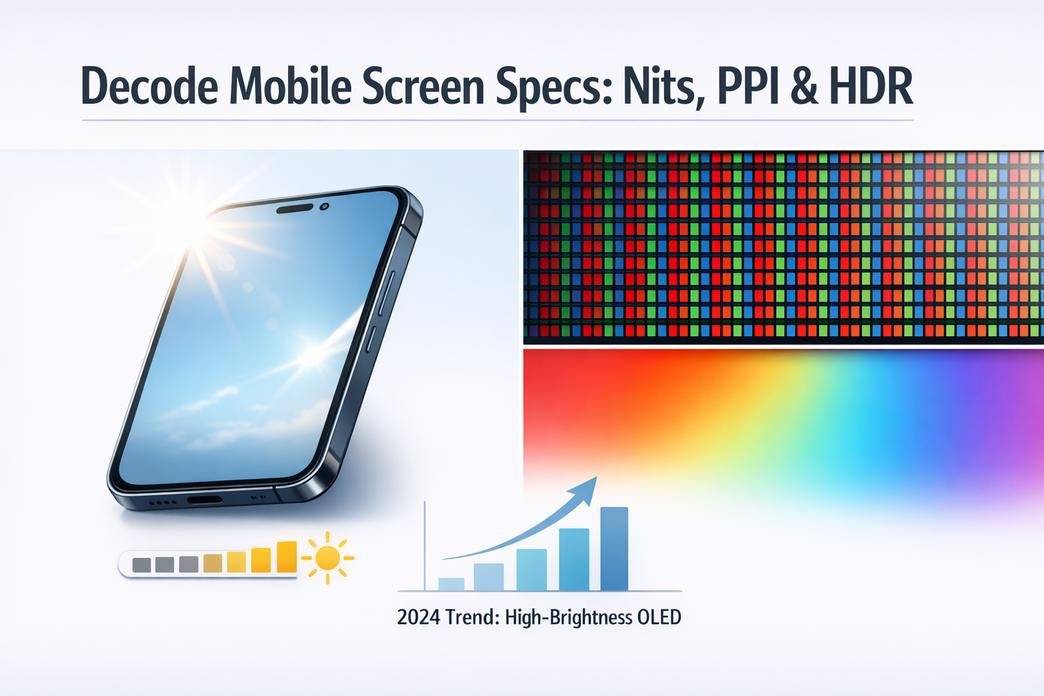
What “nits” really measure on mobile displays”
When reading Mobile Screen Specs, brightness is listed in nits, a unit of luminance measured in candela per square meter.
- Core measurement
- Luminance defines how much visible light a display emits.
- Higher pixel brightness increases screen visibility.
- Visual relationship
- Brightness works with contrast ratio to shape visual perception.
- Strong contrast makes text pop even at moderate nits.
- Technology influence
- OLED and LCD differ in display technology efficiency.
- OLED pixels light individually; LCD relies on backlight strength.
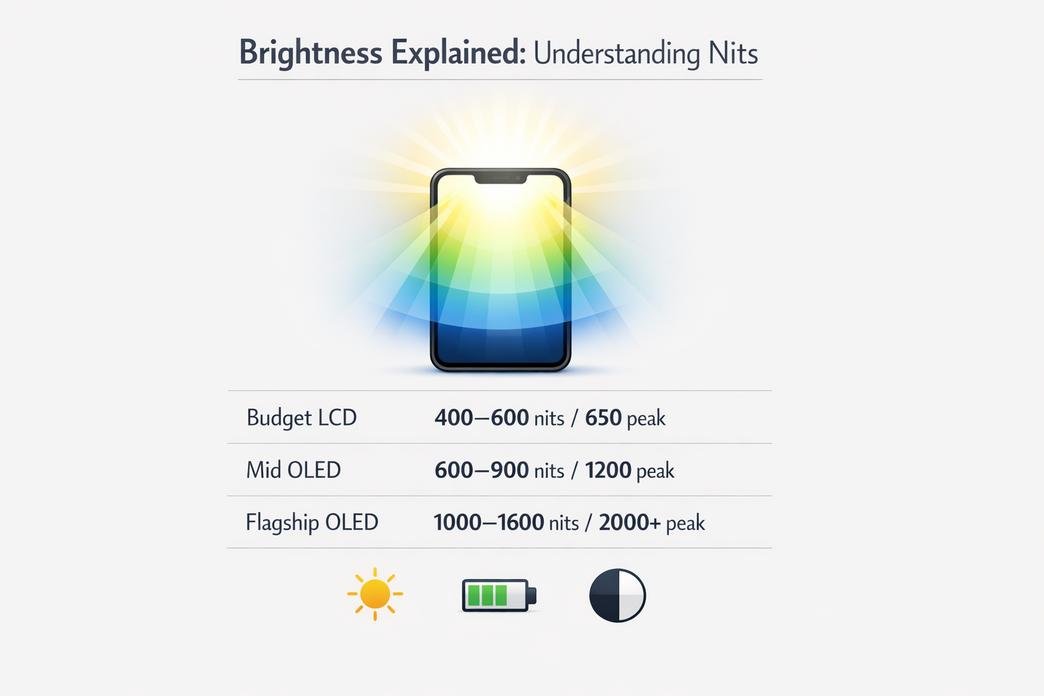
| Device Type | Typical Nits (Manual) | Peak Nits (Auto Boost) |
|---|---|---|
| Budget LCD | 400–600 | 650 |
| Mid OLED | 600–900 | 1200 |
| Flagship OLED | 1000–1600 | 2000+ |
Understanding these numbers makes comparing Mobile Screen Specs way easier.
How peak brightness impacts outdoor readability
If you check phone screen specs before buying, look at peak nits.
- Higher nits fight ambient light.
- Strong brightness improves sunlight visibility.
- Better panels reduce screen reflection and improve glare reduction.
In real life, this boosts outdoor performance and overall user experience. Maps stay readable. Photos look accurate. Messages don’t fade into gray mush. That’s why Mobile Screen Specs often highlight peak brightness so aggressively.
Brands like screen stocks track real-world brightness tests, helping buyers compare Mobile Screen Specs beyond marketing hype.
Balancing brightness and battery life
Brightness feels great—until your battery tanks.
- Power dynamics
- Higher nits increase power consumption.
- Sustained peak levels accelerate battery drain.
- Smart controls
- Adaptive brightness adjusts based on surroundings.
- Fine-tuned display settings improve energy efficiency.
- Optimization strategy
- Short bursts for outdoor use.
- Moderate levels for daily scrolling.
- System-level optimization for longer screen time.
Smart shoppers reading Mobile Screen Specs know brightness isn’t just about max numbers. It’s about balance. And trusted suppliers like screen stocks make choosing the right mobile screen specs feel less like guesswork and more like a solid upgrade.
Sharpness and Clarity: Pixels per Inch (PPI)
Mobile Screen Specs can look confusing at a glance, but once you break down Mobile, Screen, and Specs, things start to click. When checking Mobile Screen Specs, PPI is one number that really changes how your screen feels day to day. From mobile display specs to phone screen details, sharpness shapes the whole vibe of your device.
Defining PPI: Pixel density in phone screens
When reading Mobile Screen Specs, PPI stands for pixels per inch, a direct measure of pixel density packed into a display. It connects closely with screen resolution, display technology, and overall device size.
- At the core level:
- Pixels per inch = number of pixels within one linear inch.
- Higher value → tighter pixel density.
- Lower value → more visible pixel gaps.
- In relation to other Mobile Screen Specs:
- Resolution defines total pixels (e.g., 2400 × 1080).
- Device size spreads those pixels across physical space.
- Display technology (OLED, LCD) affects how those pixels appear.
Below is a simplified comparison often seen in mobile display specs:
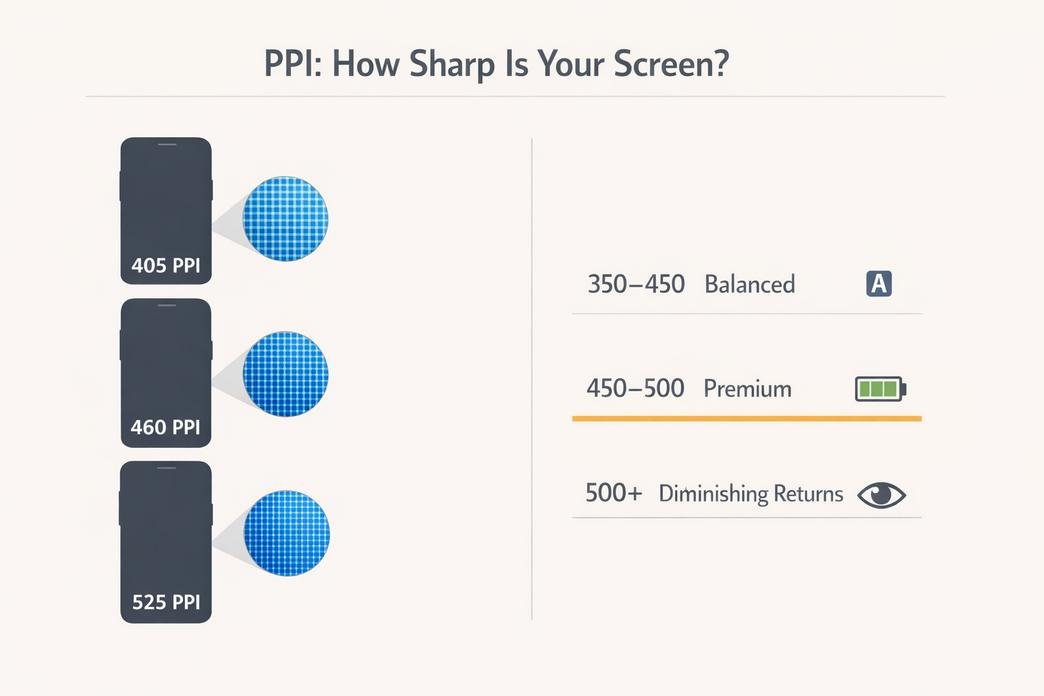
| Device Size (inches) | Resolution (px) | PPI (approx.) |
|---|---|---|
| 6.1 | 2532 × 1170 | 460 |
| 6.5 | 2400 × 1080 | 405 |
| 6.7 | 3200 × 1440 | 525 |
When shopping through platforms like screen stocks, understanding this table makes Mobile Screen Specs less intimidating and way more practical.
Why higher PPI matters for text and graphics
Higher PPI upgrades your text clarity instantly. Letters look tight and smooth instead of slightly jagged. That matters during long reading sessions, where your reading experience depends on clean edges and stable visual detail.
Here’s where it really shows up:
- Small fonts in chat apps
- Fine lines in UI icons
- High-resolution photos
- Detailed game graphics rendering
In Mobile Screen Specs, once PPI crosses roughly 400 on a typical phone-sized display, image sharpness feels noticeably refined at normal viewing distance. That’s why premium mobile display specs often highlight this number front and center.
For users browsing upgrades on screen stocks, comparing Mobile Screen Specs side by side makes it clear which phones deliver smoother fonts and crisper thumbnails. A bump in pixel density often equals less eye strain and a cleaner overall look.
When ultra-high PPI becomes overkill
In advanced Mobile Screen Specs, numbers can climb past 500 or even 600 PPI. Sounds impressive. But real-world impact depends on human eye perception.
- Visual limits:
- At typical phone distance (25–30 cm), the eye struggles to distinguish pixels beyond a certain threshold.
- Gains above ~500 PPI fall into diminishing returns territory.
- Performance trade-offs:
- Higher resolution demands more processing power.
- More pixels can increase battery consumption.
- Manufacturing costs rise, affecting cost efficiency.
From a practical Mobile Screen Specs perspective:
- Moderate PPI (350–450): solid balance.
- High PPI (450–500): premium clarity.
- Ultra-high PPI (500+): impressive on paper, subtle in daily use.
Smart buyers browsing screen stocks often compare not just raw pixel density, but how it fits their usage. Crisp visuals are great. Burning extra battery for barely visible gains? Not always worth the hype.
Dynamic Range Unveiled: HDR
Mobile Screen Specs can feel like tech overload, but once you get HDR, things click. This part of Mobile Screen Specs breaks down brightness, contrast, and color so your phone display specs actually make sense in daily use.
HDR fundamentals: Beyond standard color depth
When reading Mobile Screen Specs, HDR is tied to several core elements:
- High Dynamic Range
- Expands visible Contrast Ratio
- Improves Black Levels
- Boosts Peak Brightness
- Color Depth
- Measured in Bit Depth
- 8-bit vs 10-bit affects gradients
- Reduces banding in skies and shadows
- Luminance
- Controls overall Peak Brightness
- Impacts highlight realism
Here’s how common display metrics compare in phone display specs:
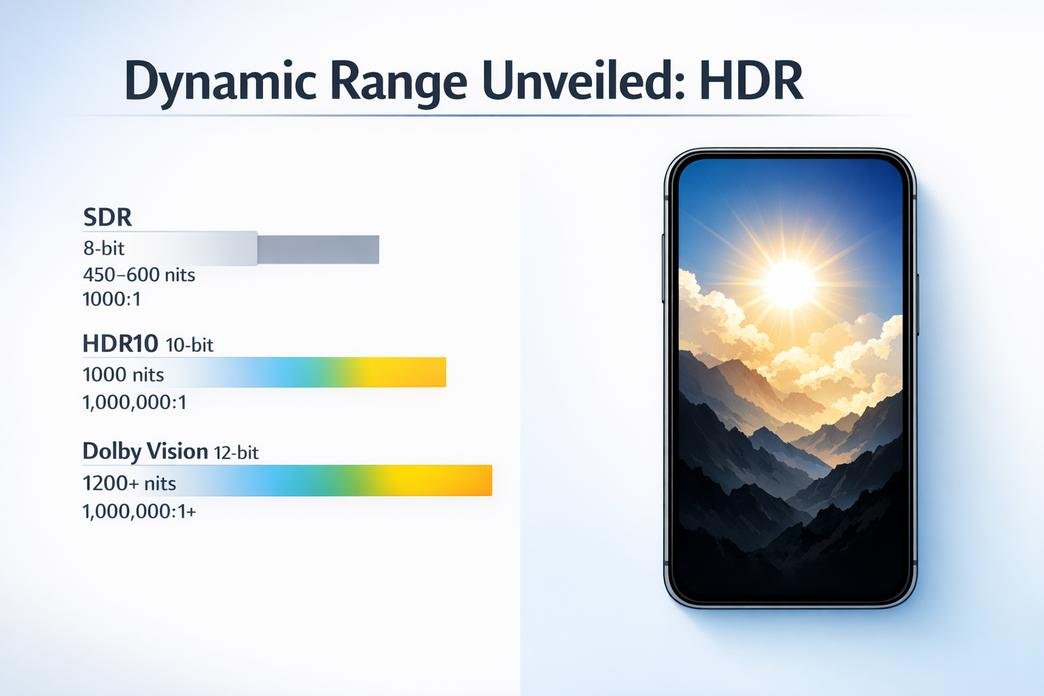
| Mode | Bit Depth | Peak Brightness (nits) | Contrast Ratio |
|---|---|---|---|
| SDR | 8-bit | 450–600 | 1000:1 |
| HDR10 | 10-bit | 1000 | 1,000,000:1 |
| Dolby Vision | 12-bit (processing) | 1200+ | 1,000,000:1+ |
If you’re checking Mobile Screen Specs on screen stocks, focus on Luminance, Black Levels, and true 10-bit support. That’s where the visual jump really happens.
HDR formats: HDR10 vs. Dolby Vision vs. HLG
Under the HDR umbrella in Mobile Screen Specs, formats split into layers:
- Core Standards
- HDR10
- Uses Static Metadata
- Fixed Peak Luminance values
- HLG
- No Metadata
- Built for broadcast
- HDR10
- Advanced Control
- Dolby Vision
- Uses Dynamic Metadata
- Scene-by-scene brightness tuning
- Wider Color Gamut
- Dolby Vision
- Practical Impact
- Better tone mapping
- Smarter brightness scaling
- Improved color consistency
On screen stocks, HDR10 is common, while Dolby Vision signals premium mobile display specs.
Real-world benefits of HDR in mobile videos
For Mobile Videos, HDR shifts the whole Visual Experience.
- Brighter explosions with sharper Highlight Detail.
- Dark scenes showing real Shadow Detail, not gray blur.
- Stronger Color Accuracy during sunsets or neon shots.
In gaming, HDR deepens contrast so enemies don’t blend into shadows. In streaming, faces look natural, not washed out. For Content Creation, higher dynamic range means better editing headroom and preserved Detail.
When scanning Mobile Screen Specs, don’t just chase resolution. HDR support, strong Peak Brightness, and solid black control are what create that immersive viewing vibe people rave about on screen stocks.
Choosing the Right Specs for Wholesale Purchases
Picking the right Mobile Screen Specs for bulk orders isn’t just tech talk—it’s money on the table. When mobile, screen, and specs line up with real users, returns drop and repeat buyers grow. Let’s break it down in plain terms.
Bulk buying: Matching screen specs with customer needs
When reviewing Mobile Screen Specs, wholesalers should map display technology, resolution, and panel type directly to user profiles.
- Target Users
- Outdoor crews
- Need high brightness under sunlight
- Wide viewing angles for field sharing
- Mobile gamers
- 120Hz+ refresh rate
- Accurate color gamut for immersive play
- Budget buyers
- Balanced resolution and battery draw
- Reliable LCD panel type
- Outdoor crews
- Spec Priorities
- Visual clarity
- Higher PPI improves perceived sharpness in mobile screen specs
- Motion handling
- Fast refresh reduces blur
- Color performance
- Wider color gamut boosts content appeal
- Visual clarity
- Business Fit
- Match specs to price tier
- Avoid overspending on features customers won’t notice
Smart wholesalers, including clients of screen stocks, align phone display specifications with demand data instead of hype.
Quality control: Testing brightness, PPI, and HDR in batches
Consistency keeps refunds low. For every batch of Mobile Screen Specs, test core metrics tied to luminance, pixel density, high dynamic range, color accuracy, contrast ratio, and uniformity.
Key checkpoints:
- Measure peak and typical luminance
- Verify pixel density against design claims
- Compare HDR tone mapping for stable contrast ratio
- Scan for uniformity shifts at edges
| Test Item | Target Value | Tool Used | Acceptable Tolerance |
|---|---|---|---|
| Peak Luminance | 800–1200 nits | Calibrated photometer | ±5% |
| Pixel Density | 400–500 PPI | Microscopic grid tool | ±3% |
| HDR Contrast Ratio | ≥1,000,000:1 (OLED) | HDR analyzer | ±5% |
| Color Accuracy (ΔE) | <2.0 | Colorimeter | ±0.5 |
Short rule: test random units, log results, flag trends early. screen stocks applies batch sampling so mobile display specifications stay tight across large shipments.
Supplier comparisons
Comparing vendors goes beyond price tags. Focus on manufacturing capabilities, technical specifications, and long-term product consistency.
- Factory Strength
- Equipment age and automation level
- Yield rates per production run
- Operational Reliability
- Stable lead times
- Clear support services for RMA cases
- Compliance
- Recognized quality certifications
- Transparent reporting on failure rates
IDC noted in its 2025 worldwide smartphone display analysis that panel suppliers with advanced OLED lines continue to widen margin gaps due to higher yield stability and better energy efficiency metrics.
“Panel makers investing in next-generation OLED fabs are seeing stronger contract retention from global OEMs due to consistent performance and delivery reliability.” — IDC, 2025
That insight matters when locking in Mobile Screen Specs for six-figure unit orders. screen stocks evaluates suppliers on hard data, not glossy slides.
Negotiation tips: Getting the best price on display panels
- Collect at least three quotes for identical technical specifications.
- Compare true cost per unit, not just headline pricing.
- Push for volume discounts tied to quarterly forecasts.
- Clarify payment terms—net 30 vs. net 60 shifts cash flow.
- Lock in warranty period and written return policy details.
- Review contractual obligations on delays and defect ratios.
Keep it straightforward. Clear numbers, clear specs, clear expectations. When Mobile Screen Specs are nailed down before signing, margins stay healthy and headaches stay low.
FAQs about Mobile Screen Specs
What do “nits” mean in Mobile Screen Specs for bulk buyers?
Brightness is emotion on a screen. If it fades in sunlight, users feel it instantly.
- 300–500 nits → acceptable indoors
- 600–800 nits → comfortable in bright outdoor settings
- 1000+ nits → strong sunlight visibility
For wholesalers, consistency matters more than peak numbers. A batch rated at 800 nits must behave like 800 nits across every unit. Uneven brightness leads to returns, complaints, and lost trust.
Why does pixel density (PPI) impact perceived quality?
Pixel density shapes how sharp a phone feels in the hand.
- Below 300 PPI – text edges soften.
- 300–400 PPI – clear for most users.
- 400+ PPI – crisp, premium impression.
Higher PPI increases cost and power demand. For mid-range models, balanced PPI often wins over extreme sharpness that users barely notice. Smart buyers align PPI with screen size and target price tier.
How do brightness and battery life compete in Mobile Screen Specs?
Brightness attracts attention; battery life keeps loyalty.
Short bursts of peak brightness improve outdoor usability. Continuous high luminance drains power quickly. The solution lies in:
- Adaptive brightness tuning
- Efficient OLED or advanced LCD panels
- Power optimization at the driver level
A well-chosen panel feels bright when needed and calm when not, extending daily usage without frustration.
What should be tested during quality control of display panels?
Quality control is where profit is protected.
| Test Item | Why It Matters | Risk If Ignored |
|---|---|---|
| Brightness consistency | Uniform user experience | Visible patchiness |
| PPI accuracy | Sharp branding perception | Blurry text complaints |
| Color & HDR stability | Streaming and gaming appeal | Washed visuals |
| Batch sampling rate | Shipment reliability | High return rates |
Tight testing standards reduce defects and strengthen long-term supply relationships. In Mobile Screen Specs, discipline at inspection defines market reputation.