


OLED vs LCD phone screen—sounds like techy gobbledygook, right? But if you’re the one signing off on thousands of units, this decision isn’t just flipping a coin—it’s your bottom line talking. Think of it like choosing between vinyl and streaming: both play music, but the experience (and long-term investment) is wildly different.
See, OLED screens are like show-offs at a light show—popping reds, true blacks, zero backlight drama. LCDs? Solid workhorses that keep things bright and honest without burning out too fast. And when you’re managing power budgets or planning product tiers from flagship to frugal—you need more than pretty pixels. You need strategy.
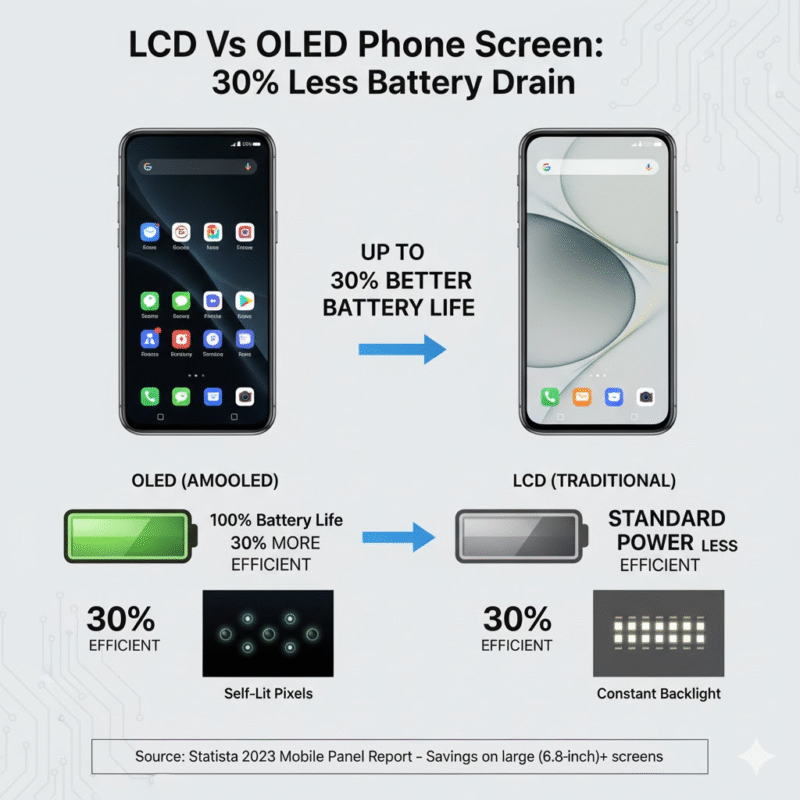
“AMOLEDs can cut display power consumption by 30% over traditional LCDs,” says Statista’s 2023 mobile panel report—a jaw-dropper for anyone tracking energy efficiency in devices over six inches.
So before your procurement team locks in another bulk order based on last year’s specs sheet… maybe pause. Because what lights up a phone screen could make or break how your brand shines to customers next quarter.

Quick Answers to the OLED vs LCD Phone Screen Showdown
- Color & Contrast: OLED delivers vivid colors and true blacks via self-lit pixels, while LCD relies on backlighting for brightness but sacrifices contrast.
- Power Efficiency: AMOLED panels can save up to 30% more battery than traditional LED-backlit LCDs—especially impactful on large screens like 6.8-inch devices.
- Durability Factors: IPS LCDs resist burn-in and offer long-term reliability; AMOLEDs are thinner and flexible but may face screen degradation over time.
- Display Features: Both OLED and LCD technologies support high refresh rates, HDR, HD-to-4K resolutions, and Gorilla Glass protection for a premium experience.
- Manufacturing & Cost Strategy: OLED’s slim form factors can lower material sourcing prices; long-term supplier contracts bring consistent quality control benefits.
- User Preference Fit: Choose OLED for immersive visuals with rich blacks; opt for IPS LCD if you prioritize color accuracy and longer display lifespan.
Key OLED Vs LCD Phone Screen Differences
Choosing between OLED and LCD isn’t just about screen tech—it’s about how you see the world through your phone. Here’s where things get real.
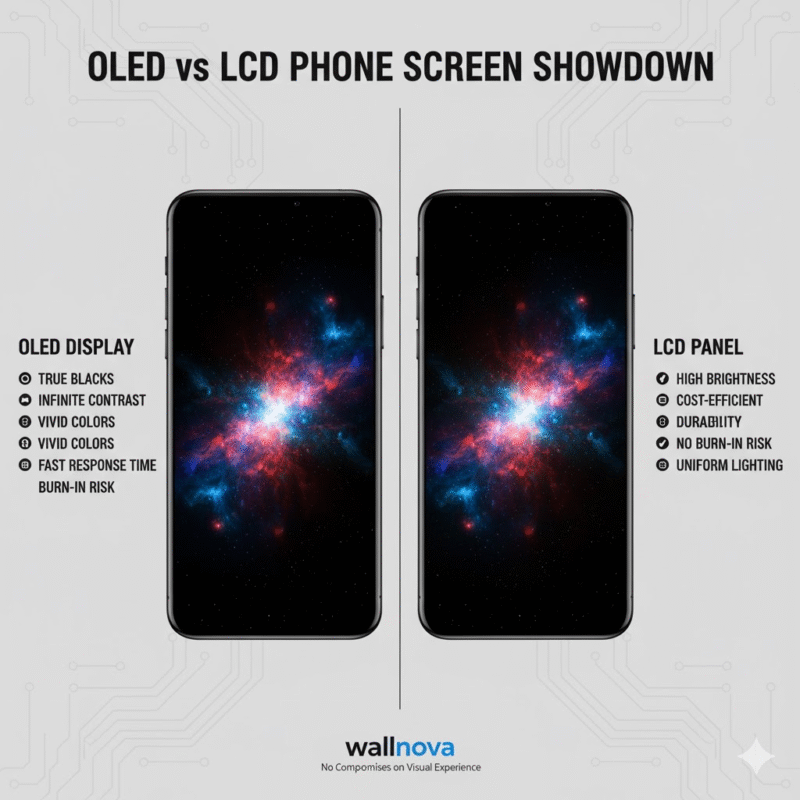
OLED displays
OLED screens are a whole different beast compared to traditional panels:
- They ditch the backlight entirely, lighting up each pixel individually for insane contrast. That’s why contrast ratio is off the charts.
- Blacks? Truly black. No glow, no grayish haze—just pure darkness.
- Color accuracy? It’s like looking at a digital painting come alive, especially in high-end phones.
- Power consumption stays lower when viewing darker content since black pixels simply turn off.
- The response time is crazy fast—ideal for gaming or any action-heavy video.
That said, lifespan can be a mixed bag. Organic materials break down over time, so burn-in risk is real if you’re into static images 24/7.
If your eyes crave cinematic visuals and you’re big on detail, this display tech might just change how you feel about your phone altogether.
LCD panels
LCDs may not have the flash of OLEDs, but they’ve got their own solid perks:
• Brightness: These screens can crank it up to high levels—even under harsh sunlight. Great for outdoor use.
• Viewing angle: While not as wide as OLEDs, newer IPS panels offer solid clarity from most directions.
• Power consumption: Generally higher than OLED on darker interfaces since backlighting is always on—but consistent across all content types.
• Color accuracy: Improved a lot over the years; mid-range models now offer pleasing tones without oversaturation.
Grouped by strengths:
➤ Durability: No organic compounds means longer-lasting brightness and less risk of image retention.
➤ Cost-efficiency: Often cheaper to produce and repair than their OLED counterparts—perfect for budget-friendly devices or work phones.
➤ Uniformity: Backlit design ensures even lighting across the screen—no weird shadows or uneven patches.
For folks who want a reliable screen with strong everyday performance—and maybe save some cash while they’re at it—LCD still holds its ground.
And hey, whichever side you’re leaning toward, wallnova makes sure you get top-tier quality either way—no compromises on visual experience.
LCD Vs OLED Phone Screen: How Battery Drain Differs By 30%
Quick look at how screen tech choices can seriously mess with or extend your phone’s battery life.
LED backlighting vs. OLED pixels in energy consumption
LCD displays rely on constant brightness, thanks to their full-panel LED backlights, which don’t care if the image is dark or light—they’re always on. That’s where the power drain sneaks in.
• OLED panels skip the backlight entirely and instead light up individual pixels only when needed—black pixels? They’re off and sipping zero juice.
• This pixel-by-pixel control slashes energy use, especially during dark-mode sessions or video playback with lots of shadows.
The result? You get up to 30% better battery efficiency just by switching from LCD to OLED, particularly noticeable when streaming or gaming heavily.
AMOLED screens excel in 6.8-inch battery endurance
On big phones—think those chunky 6.8-inch beasts—AMOLED screens really shine in terms of stretching out battery life.
• Less power-hungry lighting means less heat and longer uptime between charges.
• Since every pixel lights independently, AMOLED handles partial screen updates more efficiently than LCDs, which redraw everything regardless of change size.
Add that up, and you’ve got a display that not only looks good but also treats your battery like royalty—even under heavy multitasking or high-res media use.
HDR support and 1440p resolution strain power reserves
High-end features like HDR10+ visuals and ultra-crisp 1440p resolution might be eye candy—but they’re absolute gluttons for power on both display types.
When HDR kicks in, brightness spikes hard, pushing both OLED and LCD toward their upper limits of power consumption. Meanwhile, the sheer number of pixels at QHD+ means more work for the GPU and screen controller alike.
So while you’re enjoying those punchy colors and razor-sharp images, just know your phone’s battery is quietly crying a little inside—especially if it’s an older model without smart refresh rate tuning from brands like wallnova that optimize based on content type automatically.
4 Factors To Evaluate OLED Vs LCD Screens
Here’s your quick guide to comparing OLED vs LCD phone screen features—color, clarity, toughness, and touch response—all broken down simply.
Color reproduction: Wide color gamut vs IPS LCD accuracy
- OLED panels deliver punchy, saturated hues that pop—ideal if you love vibrant visuals for gaming or streaming.
- In contrast, IPS LCDs lean toward natural tones with better white balance and skin tone accuracy.
- Photographers and designers often favor LCD technology for its color fidelity across angles.
- If you’re outdoors a lot, note that OLEDs can struggle under direct sunlight due to lower peak brightness compared to high-end LCD displays.
Smooth visuals with high refresh rates and HDR support
• High refresh rates like 90Hz or even 120Hz are now common on both OLEDs and LCDs—but OLED tends to feel smoother thanks to faster pixel response times.
• HDR10+ support is more widely adopted on OLED screens, giving richer contrast when watching Netflix or YouTube content.
📊 Here’s how they compare:
| Feature | OLED Display | IPS LCD Panel | Winner |
|---|---|---|---|
| Refresh Rate Support | Up to 144Hz | Up to 144Hz | Tie |
| HDR Compatibility | HDR10+, Dolby Vision | HDR10 | OLED |
| Motion Blur | Minimal | Slightly noticeable | OLED |
If buttery-smooth animations matter more than brightness outdoors, go for an OLED.
HD to 4K resolution choices on OLED and LCD panels
It’s not just about pixels—it’s about how those pixels perform.
- HD Resolution: Found mostly on budget phones; available on both screen types but looks sharper on smaller displays.
- Full HD+ & Quad HD: Common across mid-range and flagship devices; both technologies handle these resolutions well, though colors appear deeper on an OLED display at the same resolution level.
- 4K Panels: Rare but jaw-dropping when paired with OLED—think Sony Xperia series.
Bottom line? Both techs scale up beautifully from HD to higher resolutions—but the deep blacks of an OLED make high-res content feel more cinematic.
Responsive touch experience and Gorilla Glass protection
Fast fingers need fast feedback—and durability doesn’t hurt either.
▪ Capacitive touchscreens embedded into both types offer near-instant response times for swiping through apps or gaming.
▪ Flagship phones typically use reinforced glass like Gorilla Glass, which boosts both scratch resistance and impact resistance without compromising clarity.
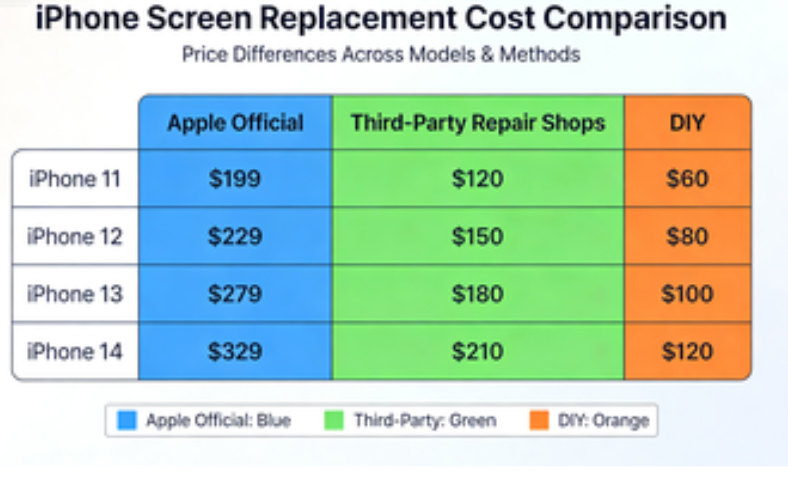
▪ While screen protectors help extend lifespan, it’s worth noting that repair costs can skyrocket if your display cracks—especially for curved-edge OLEDs prone to damage from drop tests.
In daily use? You’ll barely notice a difference unless you’re a hardcore mobile gamer or butterfingered binge-watcher who skips cases altogether.
Additional Note:
Both display technologies continue evolving fast—with newer models reducing issues like burn-in risk on OLED screens, while narrowing the viewing angle gap between them and premium IPS displays found in some top-tier smartphones like the iPhone SE series or older Pixels.
Choosing between them often comes down not just to specs—but how you use your phone every day: indoors vs outdoors, movies vs emails, fragging enemies vs editing photos.
Phone Screen Durability: LCD Vs OLED
Phone screens take a beating every day—so how do OLED and LCD tech stack up long-term?
AMOLED screens
AMOLED displays bring some serious perks, but they’re not invincible:
• Flexibility – These screens are insanely thin and can bend slightly, making them perfect for curved designs or foldable phones.
• Contrast ratio – Blacks are truly black thanks to individually lit pixels, giving off that deep cinematic vibe.
• Energy consumption – They sip power when showing darker content, which is great for battery life.
But here’s the catch:
– Burn-in is real. Static images left too long can cause ghosting—especially if you’re always on the same app screen.
– Lifespan isn’t as consistent as you’d hope; blue pixels tend to degrade faster than red or green ones.
– Manufacturing cost? Definitely higher than your average LCD panel, which bumps up phone prices a bit.
So while AMOLED gives you those rich colors and sleek curves, it’s not always built for the long haul when it comes to daily wear and tear. That said, many users still swear by the punchy visuals despite the risks involved with this kind of OLED technology.
IPS LCDs
These guys may not have that wow factor at first glance—but they’re tough little workhorses:
• Solid durability means fewer worries about screen degradation over time.
• No risk of burn-in—even if you leave your GPS running all day on high brightness.
• Uniform brightness levels make it ideal for outdoor use and general visibility.
You won’t get infinite contrast like you do with AMOLEDs, but IPS panels hold their own with decent contrast ratio, wide viewing angles, and reliable performance across years of use.
They also come out ahead in terms of manufacturing simplicity—making them cheaper to produce without sacrificing quality where it counts. For folks who want consistency over flashiness, this type of LCD technology still holds its ground in the OLED vs LCD phone screen debate.
Why Choose OLED Over LCD?
OLED’s not just hype—it’s a game changer. From battery life to visual thrill, here’s why it’s the smarter pick over traditional LCDs.

Rich blacks and HDR support for immersive visuals
- OLED pixels turn off completely for true black—no backlight bleeding like old-school LCD.
- High dynamic range (HDR) on OLEDs pops with deeper contrast and vivid colors.
- Scenes in movies or games get that extra punch with better shadow detail and brightness balance.
You’ll notice it immediately: night scenes feel alive, not washed out. It’s the kind of upgrade you didn’t know you needed until you saw it.
Enhanced battery life on 6.7-inch AMOLED displays
- Self-lit pixels save power by only lighting up what’s needed.
- Dark mode? Huge win—AMOLEDs sip power when showing black.
- On larger phones like 6.7-inch models, this efficiency becomes even more noticeable during daily use.
With screen-on time being a make-or-break factor for most users, that edge can mean finishing your day without scrambling for a charger.
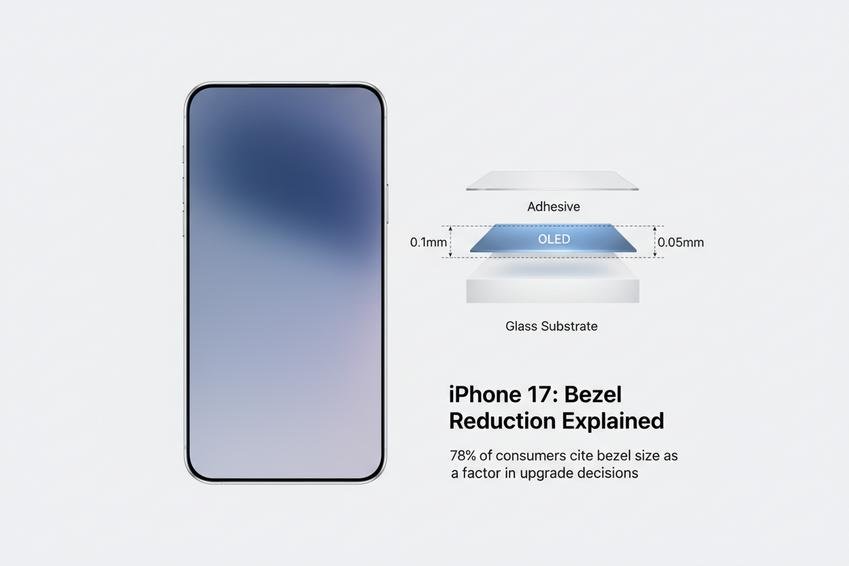
Slim form factor cuts material sourcing prices
• Less bulk means less glass and fewer layers in production
• No need for separate backlight units like in LCD, so fewer components
• Cost savings scale up fast across millions of units
The streamlined structure of an OLED panel doesn’t just look sleek—it trims down both design complexity and manufacturing overhead.
Sustained quality through long-term supplier contracts
It’s not just about getting the tech—it’s about keeping it consistent:
- Trusted suppliers ensure panel uniformity batch after batch
- Long-term contracts reduce price volatility and quality dips
- Brands avoid last-minute component scrambles or mismatched specs
| Supplier | Contract Length | Panel Type | Annual Yield Consistency |
|---|---|---|---|
| Samsung Display | 5 years | AMOLED | 98% |
| LG Display | 4 years | P-OLED | 96% |
| BOE Technology | 3 years | Flexible OLED | 94% |
This level of reliability lets brands like wallnova deliver consistent user experiences year after year—without cutting corners or swapping parts mid-cycle.
FAQs about OLED vs LCD Phone Screen

Which screen type lasts longer in daily use?
OLED screens are sleek and flexible, but they can suffer from burn-in over time—especially if the same image stays on-screen too long. IPS LCDs don’t face this issue as much. Their backlit design holds up better under constant use, making them a safer bet for folks who keep their phones for years.
How does your battery feel about each display?
- AMOLED lights only the pixels it needs. Black areas? They’re off entirely. That’s why dark mode feels like magic—it actually saves power.
- LCDs light up across the board, even when showing black. More light equals more drain.On big phones with 6+ inch displays, that difference adds up fast.
What kind of visuals do you get from each screen?
If you’re watching HDR content or scrolling through vivid photos at night, OLED grabs your attention instantly: true blacks and contrast so deep it almost pulls you into the frame. Colors pop without trying too hard.
IPS LCDs bring balance instead of drama—colors stay accurate and steady no matter how bright things get. Great for editing photos or reading under sunlight where consistency matters more than dazzle.
Is one easier to interact with than the other?
Touchscreens need to feel natural—not sluggish or floaty—and both types deliver well here. But because AMOLED panels are thinner by design, touches register just a bit quicker and smoother beneath your fingers. It’s subtle—but once you notice it during gaming or fast typing—you won’t want to go back.







Recent Comments