


Understanding Color Gamut and Brightness in Replacement Phone Screens
Replacement phone screens are like shoes—you don’t notice the good ones, but a bad pair makes your whole day suck. And when you’re buying in bulk? One weak screen with washed-out colors or dim brightness can tank your reputation faster than you can say “return policy.”
The truth is, color gamut and brightness aren’t just fancy terms—they’re what make a screen pop, or flop.

Visual Performance
Bright enough to handle summer sun glare and accurate enough to show off that perfect selfie hue—those are the screens customers rave about.
OLEDs tend to steal the spotlight here, thanks to their punchy contrast and wider color range compared to LCDs.
You’ve got choices: Grade A+, OEM pulls, third-party refurb jobs… But not all pixels shine equally.
If you’re stocking up for resale or repair work, it pays (literally) to know what specs matter most before loading up on inventory that looks great on paper but fizzles in someone’s palm.
What Is Color Gamut In Phone Screens?
Color gamut defines how many colors a screen can display—and trust us, it’s more than just red, green, and blue.
Understanding RGB vs. CMYK
RGB Model
The RGB model is built for screens—it mixes light using red, green, and blue to create colors. Your phone screen lives in the world of additive color, blasting vivid shades directly into your eyes.
CMYK Model
On the flip side, CMYK is for print—using cyan, magenta, yellow, and black ink to subtract light. When you print a screenshot, you jump between models, which is why colors look off on paper.
Display engineers obsess over which model gives better vibrancy on your favorite apps or games.
OLED vs. LCD Screens
-
Superior Contrast: Individual pixel lighting means no backlight is needed.
-
True Blacks: Pixels turn off completely, offering higher dynamic range.
-
Saturation King: OLEDs handle wide gamuts better than traditional displays.
Verdict: Punchier visuals and truer tones.
-
Backlight Reliance: Older LCDs struggle with deep blacks due to constant backlighting.
-
IPS Improvements: Newer IPS LCDs support DCI-P3 but still lag behind flagship OLEDs.
Good for budget, but less vibrant than OLED.
DCI-P3 & sRGB Spaces
DCI-P3 covers about 25% more colors than sRGB—especially noticeable in reds and greens. While sRGB remains the web standard, DCI-P3 is the premium smartphone standard, bringing cinema quality to your hand.
“Over 85% of flagship smartphones released this year support full DCI-P3 coverage.”
That means more lifelike skies in photos…and less disappointment when you post them online later!

Factors Affecting Replacement Quality
Not all replacement displays are created equal. If you’re swapping out your phone’s display, check these factors:
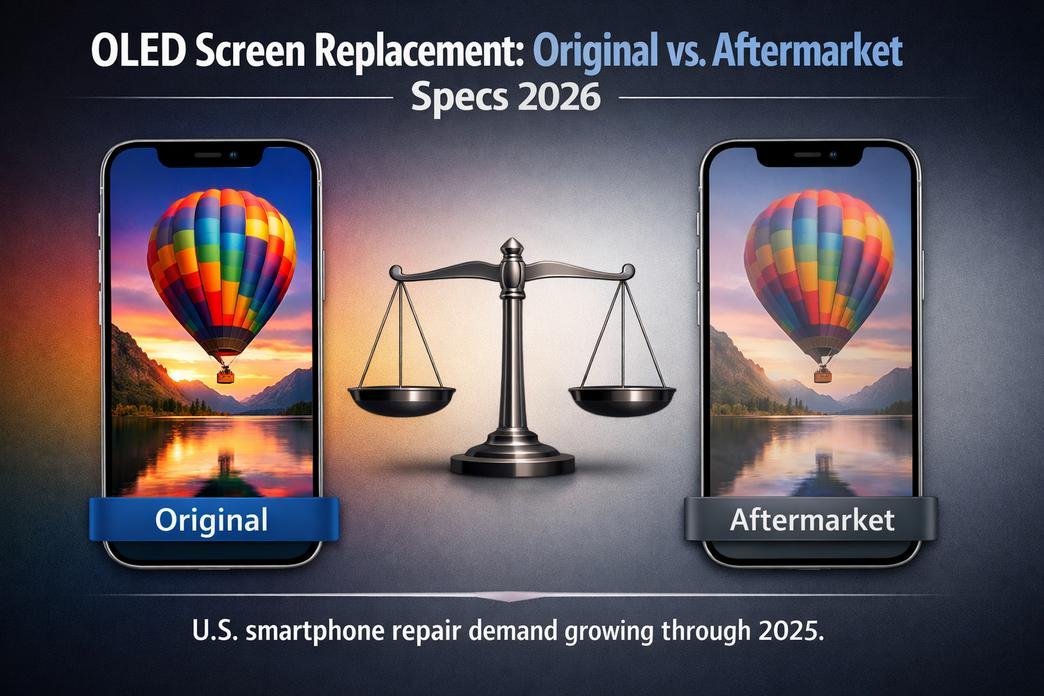
These often match original factory specs—including full support for wide gamuts like DCI-P3 or Adobe RGB. This is the gold standard for repair.
Lower-tier refurbished panels may skip proper calibration, resulting in washed-out reds. Also, AMOLED replacements retain better saturation than TFT-based alternatives.
Glue layer thickness can skew colors under sunlight. Furthermore, a poorly optimized driver can wreck even a high-quality panel’s potential output.
The Impact Of Brightness
On Phone Screen Battery Life
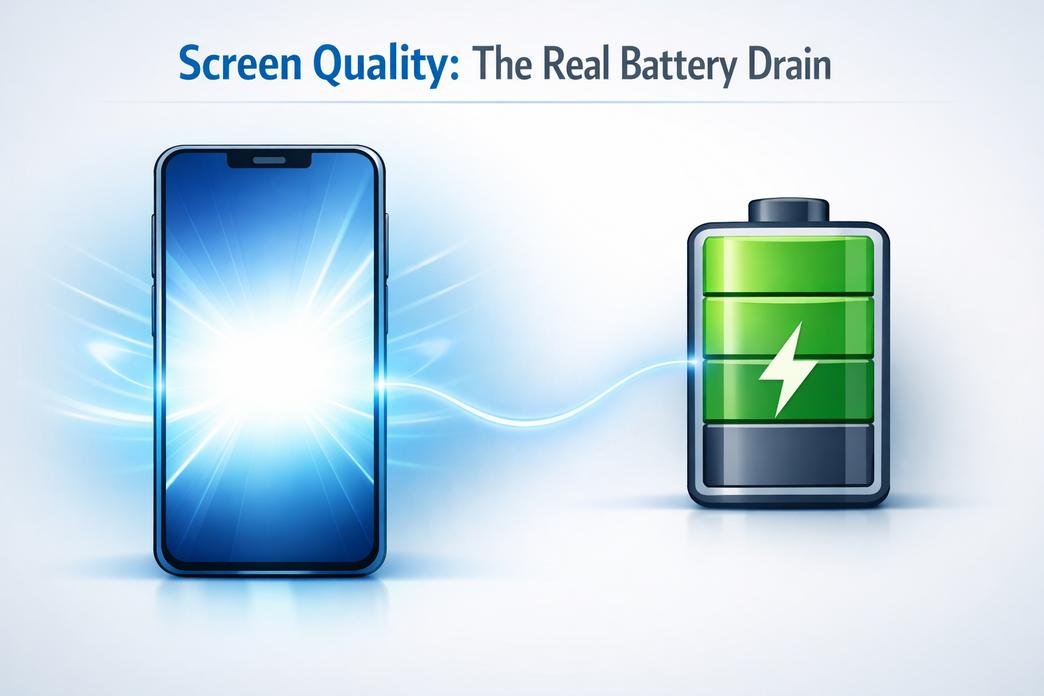
Brightness isn’t just about visibility—it’s a power game. Let’s break down how your screen habits drain or save that precious battery juice.
How High Brightness Levels Reduce Battery Efficiency
Cranking up your brightness might look good, but it hits your battery hard. Here’s why:
- High luminance output demands more voltage, especially on modern high-resolution displays.
- Most people forget that auto-brightness sensors can misjudge lighting, causing unnecessary spikes.
- Apps like video players and games override brightness settings, pushing the screen to max by default.
- Constant use at full brightness accelerates battery wear, shortening its overall lifespan.
- Even with battery-saving modes active, a bright display still consumes a disproportionate share of power.
So yeah, if you’re wondering why your phone dies before dinner—your glowing screen’s probably the culprit.

The Role of OLED Displays in Energy Consumption
OLED tech is smarter with power—but only if you play it right. Check out how different content affects energy use across display types:
| Display Type | Dark Image Power (mW) | Bright Image Power (mW) | Energy Saving (%) |
|---|---|---|---|
| OLED | 80 | 240 | 66% |
| LCD | 200 | 210 | ~5% |
| Mini LED | 150 | 220 | ~30% |
| AMOLED | 75 | 230 | 67% |
OLEDs light up individual pixels—black means “off.” So darker themes and night modes aren’t just easier on the eyes; they’re easier on your battery too. If you’re rocking an OLED-based phone screen setup and still using light mode all day? You’re missing out on serious savings.
Brightness Settings: Finding the Sweet Spot
Getting longer life from your phone doesn’t mean squinting at a dim screen all day. Try this mix-and-match approach instead:
One last tip? Brands like screen stocks offer anti-glare protectors that reduce the need for high brightness outdoors—saving both your eyes and your battery in one go.
5 Key Factors Influencing Phone Screen Brightness
Understanding what makes your phone screen shine — literally — is more than just specs. Let’s break down the five real-world factors that shape how bright your display actually looks.
Screen Type: Comparing Brightness of LCD and OLED Displays
- LCD screens rely on backlighting, which can struggle outdoors or under direct sunlight.
- In contrast, OLED panels emit light per pixel, offering deeper blacks and higher contrast ratios.
- While both technologies have evolved, OLED generally wins when it comes to peak brightness and clarity.
Now toss in some ambient glare or a sunny day at the park — that’s where the brilliance of OLED truly pops. The difference isn’t just technical; it’s visible every time you unlock your phone.

Brightness vs. Quality: Grade A+ vs. Refurbished Screens
Shortcuts come with trade-offs — especially with display quality.
Data Insight: According to Counterpoint Research's Q2–2024 Display Panel Reliability Study:
Phones with verified A+ displays retained over 92% of their initial brightness after one year. Refurbished ones? Just around 68%.
Environmental Conditions: How Ambient Light Affects Perception
Let’s break this one down into quick bits:
The human eye adapts quickly to different lighting conditions — so what looks dazzling indoors might feel washed-out outside. That’s why understanding how your environment interacts with your phone display matters more than chasing raw nit numbers alone.
Understanding Phone Screen Brightness Levels And Impact
From sunlight battles to eye comfort at night, brightness makes or breaks a phone screen experience.
Measuring Brightness: Nits and Their Importance
What are Nits?
Nits are units that measure how bright a screen gets. The higher the number, the easier it is to see your display under harsh lighting.
- A phone with 1000 nits can cut through midday glare.
- Think of nits like horsepower for your screen—more punch equals better visibility anywhere.
Step-by-Step Guide
Short bursts of brightness for HDR playback are different from sustained brightness.
01. Check manufacturer specs for peak and typical brightness values.
02. Consider your usage habits—outdoors vs indoors matters more than you think.
03. Don’t forget adaptive brightness tech—it changes everything dynamically.
Brightness Categories
Real-World Brightness Examples
Size affects perceived luminance more than you'd think. A compact phone with a smaller display (~5 inches) doesn’t need as many nits as a tablet-sized device to feel equally vibrant.
Compact Efficiency
~600–800 nits feels bright enough.
Small screens don’t always mean dimmer screens—they just need less juice per inch. iPhones tend to keep consistent brightness across sizes—from Mini to Pro Max variants—balancing efficiency and clarity.
The Standard
~900–1200 nits needed for outdoor clarity.
Android brands vary widely; some large-screen devices crank up extra lumens just to stay legible outdoors. A small display running at 800 nits might appear brighter than a larger one at the same level due to pixel density.
Large & Luminous
Often target ~1200–1600+ sustained nits due to increased glare exposure area.
Tablets usually aim higher than phones since their screens reflect more ambient light due to size alone. More surface = more reflection = need for more power-packed pixels pushing light forward.
Analyzing Brightness in High-Res Displays

High resolution needs high luminance, otherwise all those crisp details get lost in murkiness.
Quad HD or higher resolutions demand extra backlight strength—or OLED pixel boosting—to maintain clarity under varying conditions. HDR10+ content benefits most from displays that exceed standard SDR brightness thresholds (~1000+ nit range).
- OLED panels: Can selectively brighten pixels for contrast boosts but still need decent peak nit ratings (~1000+) for true HDR effect.
- LCDs/IPS screens: Rely on backlights, so they often offer less contrast unless paired with high overall luminance levels (~1200+).
- Mini LED tech: Combines precision dimming zones with high nit potential (~1600+)—great balance of detail + glow.
According to DisplayMate’s Q1 2024 benchmark report, “Brightness remains the #1 factor affecting real-world readability and perceived sharpness—even above resolution.”
The Competition: How Brands Stack Up
When it comes to who shines brightest (literally), some names come up again and again.
| Brand | Peak NITs | Sustained NITs | Use Case Strength |
|---|---|---|---|
| Samsung S24 Ultra | ~2600 | ~1500 | Excellent outdoors |
| iPhone 15 Pro Max | ~2000 | ~1200 | Balanced daily use |
| Pixel Series | ~1600 | ~1100 | Great color fidelity |
| ASUS ROG Phone | ~2500 | ~1300 | Gaming & HDR focus |
Note: Gaming-focused brands like ASUS ROG Phone go even brighter temporarily—but rarely sustain those peaks long-term without heat issues kicking in fast.
The Future Of Phone Screen Technology: Gamut And Brightness
The next-gen phone screen is all about vibrant color, smarter brightness, and hybrid innovations that could change how we see everything.
Innovations in OLED Technology
OLED tech isn’t just getting better—it’s getting smarter. Here's what's cooking under the hood:
Quantum Dot Enhancement Films (QDEF)
These boost the color gamut by filtering light with more precision, giving your smartphone display that punchy saturation without draining battery life.
Micro Lens Arrays (MLA)
By redirecting light more efficiently, MLAs increase overall screen brightness by up to 30%, according to Display Supply Chain Consultants, while keeping power consumption stable.

Tandem OLED Stacks
Doubling or tripling the organic layers in a panel enhances both brightness and lifespan—a win-win for high-end devices.
AI-based Calibration
Real-time tuning of contrast and luminance ensures optimal viewing across content types. Think Netflix marathons without eye fatigue.
LTPO Backplanes
Variable refresh rates mean better energy savings when static content is displayed—ideal for always-on displays.
In short? OLED is no longer just "deep blacks." It's evolving into a full-spectrum powerhouse for every kind of user—from gamers to binge-watchers.
Multiple Screen Solutions
Predictions for Next Gen Displays
What comes after OLED dominance? It might be a mashup of new ideas that work together rather than alone.
So yeah, the future isn't about picking one winner—it’s about mixing strengths from each screen type to create something way cooler than what we’ve got now.
- MiniLED backlights could still hold their ground in high-brightness outdoor use cases, especially when paired with local dimming zones. That means better HDR performance even under direct sunlight.
- Foldables are pushing boundaries but still face durability issues. Expect hybrid glass-polymer composites to fix those creases—and maybe even self-heal over time.
- Transflective LCDs might make a quirky comeback in ultra-low-power scenarios like e-readers or smartwatches with always-on needs.
- Expect manufacturers to combine multiple technologies into a single stack—like pairing an LTPO panel with MicroLED elements—to balance clarity, efficiency, and longevity.
- According to IDC’s Q1 2024 report, nearly 38% of premium smartphones released this year feature at least two display tech integrations—marking a clear trend toward layered innovation.
FAQs about Phone Screen
Brightness isn’t just a number—it’s how alive the screen feels in your hand. A high-end OLED panel can dazzle with its deep blacks and vibrant whites, while an older LCD might struggle under sunlight. The difference often lies in:
- Panel type: OLEDs shine brighter and punchier than traditional LCDs.
- Quality grade: Grade A+ replacements hold their glow longer; worn or refurbished ones may fade.
- Lighting around you: Your eyes adjust to the world—your screen should too.
Not quite. Size alone doesn’t tell the full story. Two displays might measure identically but feel worlds apart when lit up side by side. Resolution sharpness, color accuracy, brightness levels—all these vary depending on whether you're holding a pristine Grade A+ unit or a reused original pulled from another device.
Some do—but not all keep that fresh-out-of-the-box glow. Refurbished units often lose luminance over time due to aging backlights or pixel wear, especially on LCD models. That dimmer display can make outdoor viewing harder and colors less crisp—something users notice right away.
A wide color gamut means more lifelike reds, deeper blues, richer greens—the kind of visuals that pop off the glass like real-world objects.
- OLED panels tend to support broader gamuts (like DCI-P3), making them ideal for media lovers.
- Standard sRGB displays still look good but lack that cinematic depth many now expect.
The result? One screen pulls you into the moment; another just shows it to you.
Because consistency matters—especially when customers expect flawless quality every time they tap their display. These top-tier replacements offer:
- Strong brightness across batches
- Accurate colors without weird tints
- Fewer defects like dead pixels or ghost touches
In short: fewer returns, happier buyers—and peace of mind for sellers who care about reputation as much as revenue.





Recent Comments