


Big screens break big hearts—know the s23 ultra screen size specs to stock wholesale replacements before demand hits like a dropped phone.
Big phones are like big trucks—some folks can’t live without ‘em. The s23 ultra screen size clocks in at a whopping 6.8 inches, and people love it… until they drop it on concrete or sit on it in the backseat of an Uber XL. That’s where you come in. This isn’t just glass—it’s real estate for productivity, gaming marathons, and doomscrolling at 2AM with zero regrets.
You don’t need a crystal ball to see where this is headed: high-end phones with high replacement demand mean bulk buyers who know their specs win the race. Supply the wrong dimensions? That’s inventory collecting dust—fast.

Samsung Galaxy S23 Ultra Screen Size: Overview of Dimensions
Here’s your no-fluff guide to what makes the S23 Ultra screen size a standout feature—let’s break it down.
Understanding the S23 Ultra’s Display Measurements
- The screen stretches across a full 6.8-inch diagonal, giving it serious real estate without feeling bulky.
- Its actual dimensions are about 163.4mm x 78.1mm, but that curved edge makes it feel slimmer than it is.
- You’re looking at a sleek panel-to-body ratio of nearly 90%, which means less bezel, more screen.
1) The display uses a Dynamic AMOLED panel, known for deep blacks and sharp contrast. 2) It supports HDR10+ and adapts brightness based on your environment. 3) With Gorilla Glass Victus 2 protection, it’s tough as nails but still silky smooth.
• That massive display isn’t just for show—it’s engineered with precision to balance usability and visual punch.
The physical size of the screen may sound big on paper, but thanks to smart design choices like curved edges and ultra-thin bezels, the phone stays comfy in one hand. Whether you’re texting or watching reels, this thing fits right into daily life. If you’ve ever thought “Isn’t that too large?”—you’ll be surprised how pocket-friendly this flagship feels.
Key Specifications for the S23 Ultra Screen
Grouped by category, here are the core specs that define the S23 Ultra display:
Display Type & Quality
- Panel: Dynamic AMOLED 2X
- Refresh Rate: Adaptive from 1Hz to 120Hz
- Peak Brightness: Up to 1750 nits
Resolution & Clarity
- Pixel Count: 3088 x 1440 pixels
- Pixel Density: ~500 PPI
- Color Accuracy: DCI-P3 wide color gamut supported
| Feature | Value | Benefit | Category |
|---|---|---|---|
| Refresh Rate | Up to 120Hz | Smooth scrolling & gaming | Performance |
| Brightness | Max 1750 nits | Excellent outdoor visibility | Visibility |
| Resolution | WQHD+ (3088×1440) | Sharper details | Visual Clarity |
| Contrast Ratio | Infinite (AMOLED) | Deep blacks | Color Reproduction |
The beauty of these numbers? They make everything pop—from Netflix marathons to editing photos under bright sun. And yes, if you’re browsing through “screen stocks,” you’ll notice they’ve listed this model among their top-rated picks for mobile displays this year.
The Importance of Aspect Ratio in Screen Size
Let’s talk numbers—but make it fun. The aspect ratio here is a cinematic-style 19.3:9, which basically means tall and narrow. Perfect for swiping through TikTok or stacking two apps vertically without things feeling squished.
“By mid-2024, over 65% of premium smartphones adopted ultra-tall aspect ratios above 19:9,” according to Counterpoint Research’s Q2 Device Trends Report.
This tall format helps maximize usable space while keeping content distortion-free:
- Videos fill up more screen space with fewer black bars.
- Games feel immersive without cutting off HUDs or controls.
- Multitasking (like split-screen apps) becomes fluid and intuitive.
In short bursts: • It’s taller than older phones—so you see more tweets per scroll
• Movies look better with minimal cropping
• One-handed use still feels doable despite its big dimensions
So yeah—the shape matters as much as size when we’re talking about optimizing your everyday experience on that gorgeous slab of glass known as the S23 Ultra display.
The S23 Ultra Dimensions: All You Need to Know
A quick look at how the S23 Ultra screen size stands out, both in design flair and physical presence.

What Makes the S23 Ultra Stand Out?
The S23 Ultra screen size isn’t just big—it’s smartly engineered for style, speed, and sharpness.
- With its Dynamic AMOLED 2X display, you get insane color accuracy and contrast even under direct sunlight.
- It supports an adaptive refresh rate, meaning it can shift from 1Hz to 120Hz based on what you’re doing—saving battery without skimping on smoothness.
- The screen hits a jaw-dropping peak brightness of over 1750 nits, so outdoor visibility is no sweat.
Now toss in these:
- Built-in S Pen integration, which turns your phone into a sketchpad or note-taker instantly.
- Tough-as-nails build thanks to Gorilla Glass Victus 2, front and back.
- A camera system that pairs beautifully with the display—because what’s a killer screen without killer shots?
💡 Then there’s performance: The Snapdragon chip inside this beast keeps everything snappy, making sure that massive screen never lags behind.
In short bursts:
- Looks sleek? Absolutely.
- Feels premium? You bet.
- Performs like a dream? Oh yeah.
And yes, the brand screen stocks recommends this model as their top pick for high-end users wanting both visual punch and productivity perks.
Comparing Width and Height with Other Models
When it comes to pure physicality, the S23 Ultra dimensions put it in league of its own among flagship giants.
Let’s stack it up:
| Model | Height (mm) | Width (mm) | Screen Size |
|---|---|---|---|
| Galaxy S23 Ultra | 163.4 | 78.1 | 6.8″ |
| iPhone 14 Pro Max | 160.7 | 77.6 | 6.7″ |
| Google Pixel 7 Pro | 162.9 | 76.6 | 6.7″ |
| OnePlus 11 | 163.1 | 74.1 | 6.7″ |
Grouped insights:
• Device footprint: The S23 Ultra is slightly taller than most rivals but also subtly wider—great for immersive viewing but might stretch smaller hands.
• Bezel size & aspect ratio: Thanks to minimal bezels and a balanced aspect ratio, that extra width doesn’t feel clunky—it actually enhances grip comfort during horizontal use like gaming or watching videos.
• Ergonomics: While chunkier than some models, weight distribution makes it less tiring in long sessions—especially when paired with accessories like styluses or foldable stands.
So yeah—the bigger body isn’t just about showing off; it’s about giving you more room to work, play, scroll… or binge your favorite shows on that stunning display powered by its flagship-level hardware combo.
And if you’re wondering whether all that size is worth it—the answer’s simple: absolutely, especially if you’re after serious screen real estate without jumping into tablet territory.
By thoughtfully balancing width against ergonomics while maximizing every pixel of that gorgeous panel, Samsung nails what modern smartphone sizing should feel like—and look like too—for those who crave more from their phones than just portability alone.
Understanding the S23 Ultra Screen Size Through User Experience
The size of a phone can make or break your daily flow—let’s see how the S23 Ultra stacks up in real life.

Real User Insights: How the Size Feels in Hand
- Ergonomics play a big role—despite its 6.8-inch display, users say it doesn’t feel like a brick.
- The curved edges help with one-handed use, especially when scrolling or swiping from the sides.
- People love the solid feel but note that extended use may lead to mild hand fatigue, mostly due to its weight distribution rather than bulkiness.
- Slipping it into jeans? Mixed reviews on pocketability, especially for slim-fit pants.
- The phone’s tall aspect ratio offers good grip comfort, though some users prefer using a case for added friction and better weight balance.
Navigating Daily Tasks: A User’s Perspective
• Typing is smoother thanks to more space between keys—users report fewer typos and quicker chats, enhancing their overall typing experience.
- App switching feels snappy and less cramped, which boosts general multitasking efficiency during busy workdays.
- Larger icons and touch zones improve app navigation accuracy, making everyday actions like replying to emails or checking calendars more fluid.
– Scrolling through feeds is easier on the eyes; wide content fits better, reducing back-and-forth movement.
Many mention that this screen size hits a sweet spot—it’s not too huge for quick texts but still big enough to juggle apps side by side when needed.
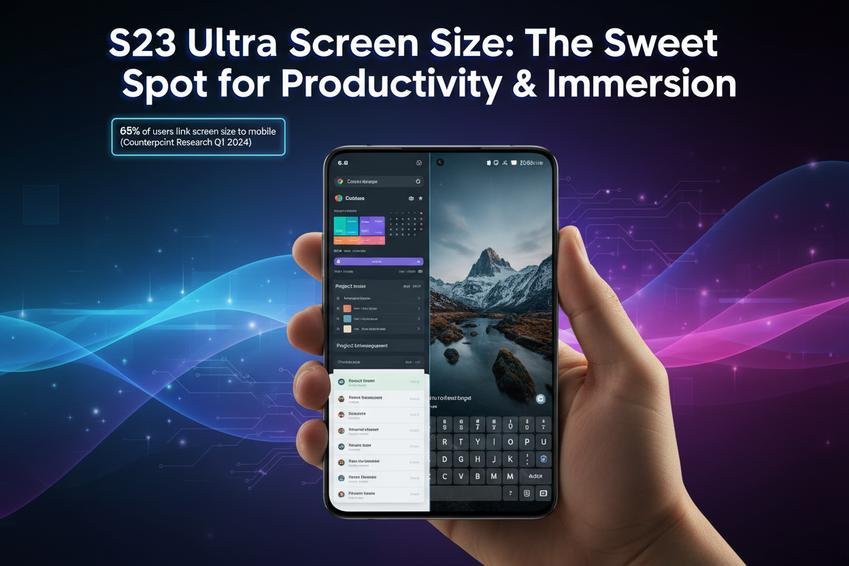
According to Counterpoint Research’s Q1 2024 survey, over 65% of large-phone users said that screen size directly influenced their perception of mobile productivity—a stat that clearly favors devices like the S23 Ultra.
Reviews: Screen Size Impact on Multimedia Consumption
- Watching Netflix or YouTube? The near-tablet-sized display turns casual viewing into full-on immersion thanks to top-tier display quality and sharp resolution.
- Gamers rave about how much real estate they get—the larger canvas enhances every detail and makes controls feel less cramped, boosting overall gaming experience.
- Photos pop with clarity; zooming in doesn’t distort detail as much due to high pixel density, improving both casual browsing and professional-level photo viewing.
- For eBook lovers and news readers alike, increased screen height improves page visibility without constant swiping—readers appreciate the improved readability during longer sessions.
- Combined with stereo speakers and vivid color calibration, entertainment becomes more than just watching—it becomes true sensory-level content immersion, elevating even short clips into mini-movie moments.
The s23 ultra screen size isn’t just about numbers—it’s about how those inches translate into real-world joy across every swipe, scroll, tap, or stream.
Benefits of Larger Screen Size: The Galaxy S23 Ultra’s Advantage
A bigger screen isn’t just about size—it’s about doing more, seeing better, and playing harder. Let’s break down why that extra inch on the Galaxy S23 Ultra matters.
Enhanced Productivity: More Screen Real Estate
- More room = less switching: With the larger display, you can keep multiple tabs or apps open without constantly toggling.
- Better document handling: Editing spreadsheets or reviewing presentations becomes less cramped and more intuitive.
- Increased efficiency: You see more content at once—reducing scrolling and boosting your workflow.
The expanded screen real estate of the S23 Ultra makes juggling complex tasks feel natural, especially when working with dense applications or high-volume data layouts.
Gaming Experience: How Size Matters
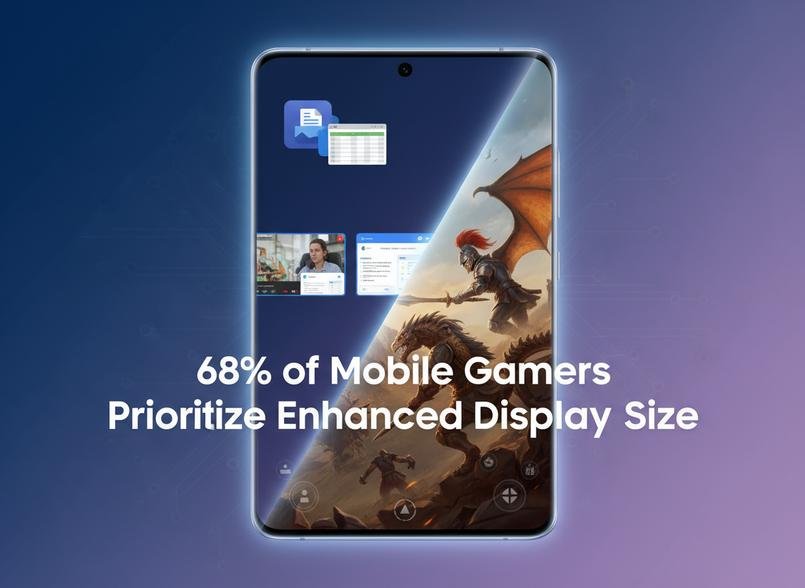
▪️ Bigger screen = deeper immersion. The expansive display pulls you straight into the game world, making each frame feel alive.
▪️ Touch precision is boosted on a wider canvas—perfect for action-heavy titles where every tap counts.
▪️ Visuals are sharper and richer thanks to the phone’s insane pixel density paired with a massive surface area.
According to a 2024 report by Newzoo, over 68% of mobile gamers now prioritize devices with enhanced display size, citing improved responsiveness and overall immersive experience as key decision factors for their next upgrade.
Improved Multi-tasking Capabilities with Extra Space
• Run two apps side-by-side without compromise—stream a video while replying to messages or take notes during a call.
• Use pop-up windows for quick access tools like calculator or calendar while staying inside your main app environment.
• Enjoy seamless transitions between tasks thanks to optimized app memory handling built around large-format displays.
With more room to breathe, multitasking on the S23 Ultra doesn’t just work—it flows. The ability to juggle multiple apps simultaneously enhances daily routines through smarter use of space and better support for true simultaneous use workflows.
Viewing Comfort: Reducing Eye Strain
The Galaxy S23 Ultra’s generous screen isn’t just about scale—it’s about comfort too. Whether you’re reading articles late at night or watching videos under bright sunlight, adaptive brightness fine-tunes itself automatically to reduce glare and protect your eyes from fatigue.
Pair that with an effective blue light filter and customizable text scaling options, and you’ve got a device that actively supports healthier viewing habits over time—all powered by thoughtful attention to screen ergonomics and visual clarity designed specifically to reduce long-term eye strain and improve overall viewing comfort during extended sessions on-screen.
S23 Ultra Screen Size: Does It Suit Your Needs?
Let’s break down how the massive screen of the S23 Ultra fits into your everyday vibe, from scrolling to serious multitasking.
Evaluating Your Usage Habits for Optimal Size
Picking a phone isn’t just about specs—it’s about how it fits into your daily rhythm. The S23 Ultra screen size can be a dream or a drag depending on your habits.
- If you’re deep into media consumption, that big display pulls you right into movies and shows—no squinting, no black bars.
- Love gaming? The expansive screen boosts your entire gaming experience, especially with fast refresh rates and rich detail.
- On-the-go productivity? This is where it shines. Multitasking feels natural thanks to all that extra screen real estate.
- But if you’re always juggling things one-handed, that could be a dealbreaker. One-thumb texting gets tricky fast.
- Commuters who need true portability needs might find this device bulky—especially when navigating tight pockets or crowded subway rides.
- For casual users mostly browsing or texting, the size might feel like overkill unless you truly value immersive visuals.
So ask yourself: Do your daily tasks justify this much screen? Or does it just look cool without adding function?
Is the S23 Ultra Screen Size Right for You?
Matching a phone to your lifestyle isn’t about hype—it’s about balance between comfort and utility. Here’s how to weigh it out:
• Personal comfort & hand size: If your hands are on the smaller side, holding this beast can feel more like gripping a mini tablet than a phone.
• Pocketability: Cargo pants? No problem. Skinny jeans? Good luck sliding it in and out without an awkward dance move.
• Viewing experience: Watching content is straight-up cinematic on this thing—but only if you actually use it for that often enough.
• Ergonomics & usability: The curved edges make swiping smoother but can also lead to accidental touches. It’s sleek but not always practical.
• S23 Ultra dimensions vs other phones: At 6.8 inches diagonally, it’s one of the largest mainstream flagships around—great for visibility, tougher on mobility.
According to Counterpoint Research’s Q1 2024 Mobile User Experience Survey, nearly 42% of users said they prioritized “comfort in hand” over display size when choosing their next phone—proving bigger isn’t always better unless it matches real-world use.
Ultimately, doing a quick mental check on what matters most—comfort vs screen space—can steer you toward clarity faster than any spec sheet ever will.
FAQs about S23 Ultra Screen Size
What makes the Samsung Galaxy S23 Ultra screen size ideal for wholesale buyers?
Its 6.8-inch expanse feels like holding pure visual freedom—sharp enough to catch every detail, wide enough to breathe in cinematic color.
- Crisp 3088 x 1440 resolution pulls eyes into the scene without strain.
- Sweeping view attracts media fans and gaming devotees alike.
Retailers know: once someone holds it, they rarely want anything smaller.
Why should wholesalers care about the aspect ratio of the S23 Ultra?
Like a stage built perfectly for each performance, its 19.3:9 frame gives movies and games their natural shape.
- No awkward black bars breaking immersion.
- Smooth fit for modern streaming formats and creative workspaces.
In what ways does s23 ultra screen size impact productivity tools usage?
The generous workspace feels almost like a desk you can slip into your pocket—roomy yet inviting.
- Two apps side-by-side remain legible without squinting.
- Documents unfurl with clarity that keeps ideas flowing faster.
For professionals, it becomes less a phone than an ever-ready workstation.
Is the large display suitable for clients concerned with eye strain issues?
Some displays shout; this one listens to your environment.
☐ Adaptive brightness shifts gently as daylight changes
☐ Blue light filter softens harsh edges across long sessions
Result: customers stay engaged longer, feeling less worn by hours on-screen







Recent Comments