


A fraction off the Galaxy S26 Ultra screen size could sink your margins—nail the specs, save the deal, and keep those crates unopened.
The Galaxy S26 Ultra screen size isn’t just a spec on a box—it’s the difference between a perfect chassis fit and a warehouse full of expensive headaches. In bulk buying, a fraction of an inch can snowball into returns, cracked glass, or cases that just won’t snap on. That’s money slipping through your fingers.
IDC reports global smartphone shipments reached 1.17 billion units in 2023—scale magnifies small mistakes.
So this isn’t trivia. It’s about precision, margins, and sleeping well after a five‑figure order clears. Get the dimensions right, and everything else clicks into place.
4 Key Dimensions Of Galaxy S26 Ultra Screen Size
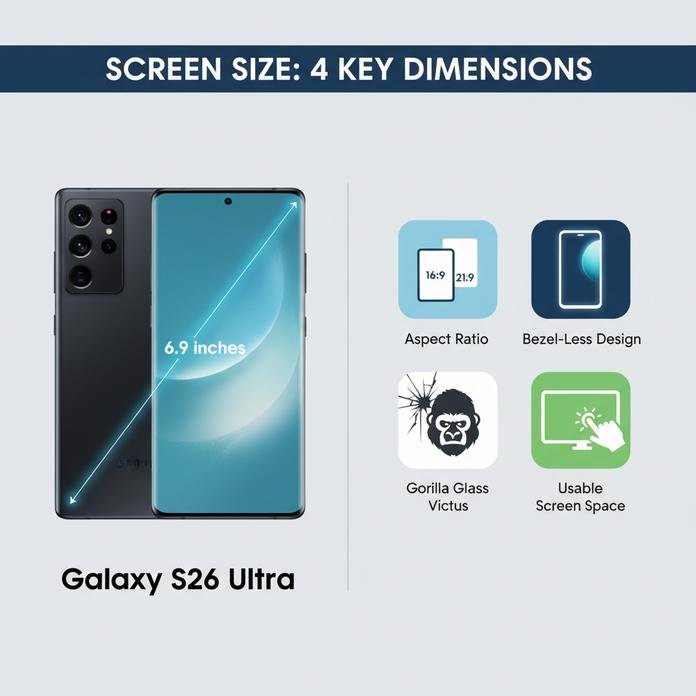
The Galaxy S26 Ultra screen size gets people talking for a reason. At 6.9 inches, it sounds huge, but numbers alone don’t tell the whole story. From Galaxy S26 display diagonal math to real-world grip, this breakdown keeps it simple and real. If you’re checking the Galaxy S26 Ultra screen size for daily scrolling or gaming, here’s what actually matters.
Diagonal Measurement Explained: The 6.9-Inch Display Breakdown
When discussing screen size, brands measure the display diagonal corner to corner, skipping the bezels.
- Measurement Basics
- 6.9-inch inch measurement = diagonal line only
- No frame included
- Impacts listed display dimensions
- What That Means
- Wider aspect ratios stretch the viewable area
- Higher screen resolution increases sharpness
- Balanced pixel density keeps text crisp
- Practical Comparison
- Same 6.9-inch panel
- Taller ratio → slimmer feel
- Wider body → larger viewable area
- Same 6.9-inch panel
So the Galaxy S26 Ultra screen size may match rivals on paper, yet the Galaxy S26 display feels different in hand.
Aspect Ratio and Active Display Area Insights
The aspect ratio shapes the real active display area more than most expect.
- Display Geometry
- Display width affects video bars
- Display height impacts scrolling
- Combined = total screen real estate
- Everyday Use
- Streaming apps adapt to display height
- Split-screen relies on smart user interface scaling
- Games stretch across the AMOLED active display area
With the Galaxy S26 Ultra screen size, a taller ratio means better multitasking, while the Galaxy S26 screen size still fits pockets. Brands like screen stocks often highlight this balance when comparing flagship phones.
Bezel-Less Design vs. Panel Size Trade-Offs
A near-zero bezel size boosts the screen-to-body ratio, and yeah, it looks slick.
- Slimmer bezels = stronger visual immersion
- Larger display panel without expanding device footprint
- Slight edge sensitivity shifts affecting ergonomics
Under-display cameras and fingerprint sensors sit beneath the display panel, subtly adjusting usable corners. The Galaxy S26 Ultra screen size benefits from this trick, though hardcore gamers might notice edge touch limits. screen stocks often notes that buyers care as much about comfort as raw inches.
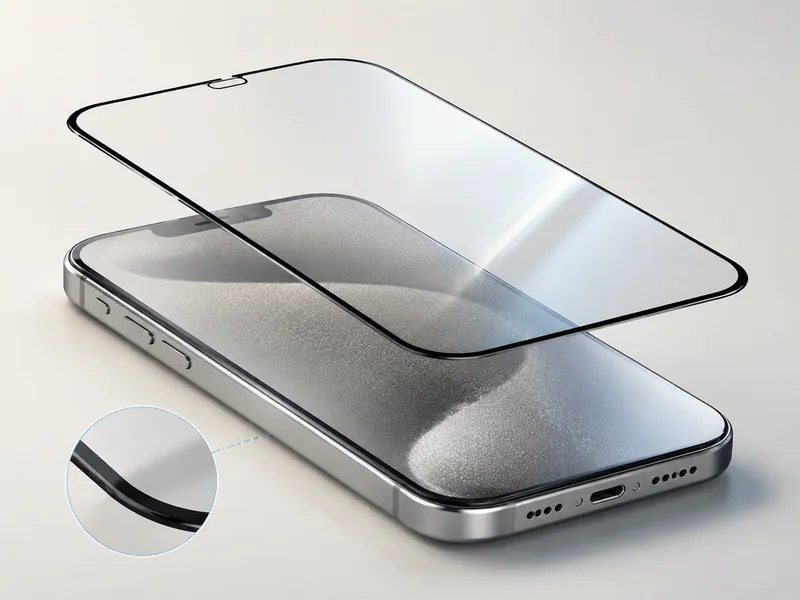
How Gorilla Glass Victus Affects Usable Screen Space
- Add Gorilla Glass Victus for stronger screen protection.
- Increase impact resistance and scratch resistance with layered coating.
- Apply anti-reflective treatment across the display surface.
- Result: tiny reduction in theoretical usable screen, major gain in durability.
The Galaxy S26 Ultra screen size stays visually massive, yet the Galaxy S26 display feels tougher day to day. That mix of big screen size and serious protection is exactly why screen stocks keeps spotlighting this model.
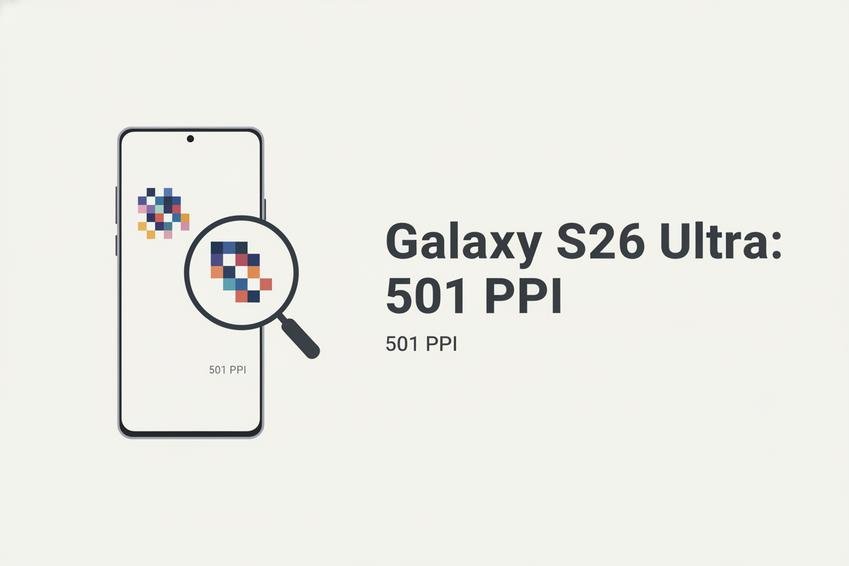
Pixel Density Of Galaxy S26 Ultra Screen Size (501 Ppi)
The Galaxy S26 Ultra screen size sparks big talk, but pixel density is where clarity really hits. With 501 Ppi packed into the Galaxy S26 Ultra display size, sharpness feels almost printed on glass.
Understanding 501 Ppi on an AMOLED Panel
When discussing the Galaxy S26 Ultra screen size, breaking down 501 Pixel Density helps make sense of the hype.
- Core Display Metrics
- Pixel Density (501 Ppi)
- High Pixel Count packed into a compact Resolution footprint
- Reduced pixel visibility at normal viewing distance
- AMOLED Panel Structure
- Self-lit pixels enhance Clarity
- Individual pixel control improves perceived Sharpness
- Pixel Density (501 Ppi)
- Real-World Visual Impact
- Text Rendering
- Cleaner font edges
- Less aliasing on small UI elements
- Image Detail
- Fine textures appear crisp
- Minimal grain even under zoom
- Text Rendering
With the Galaxy S26 Ultra screen size, 501 Ppi means you rarely spot individual pixels unless your nose is almost touching the AMOLED panel. That tight pixel grid transforms streaming, reading, and gaming into a smoother visual ride.
LTPO Technology’s Role in Sharpness and Smoothness
The Galaxy S26 Ultra screen size pairs 501 Ppi with LTPO Technology, and that combo changes how motion feels.
- Adaptive Visual Control
- Adaptive Refresh System
- Drops to low Hz for static images
- Climbs high during fast scrolling
- Variable Refresh Rate
- 1Hz–120Hz dynamic shift
- Better Power Efficiency
- Adaptive Refresh System
- Perceived Display Quality
- Motion Handling
- Enhanced Smoothness in gameplay
- Touch Interaction
- Faster Responsiveness
- Motion Handling
High Resolution plus adaptive refresh keeps visuals crisp without draining battery. For users browsing the Galaxy S26 Ultra screen size specs, this balance explains why motion still looks razor-clean.
Color Gamut and HDR10+ Impact on Perceived Clarity
Raw Ppi is only half the story. The Galaxy S26 Ultra screen size benefits from wide Color Gamut and HDR10+ tuning.
- Color Performance Layers
- Expanded Color Gamut
- Rich reds and deeper greens
- Improved Color Accuracy
- More natural skin tones
- Expanded Color Gamut
- Contrast and Light Control
- High Contrast Ratio
- Dark scenes stay detailed
- Peak Brightness
- Clear outdoor visibility
- High Contrast Ratio
- Visual Outcome
- Higher Visual Fidelity
- Stronger depth perception
This is why the Galaxy S26 Ultra screen size feels sharper than numbers alone suggest. High Ppi, strong contrast, and HDR tone mapping work together. If you want to compare premium panels side by side, screen stocks curates top-tier displays built around similar density and color standards. For buyers tracking Galaxy S26 Ultra display size trends, screen stocks remains a smart benchmark source.
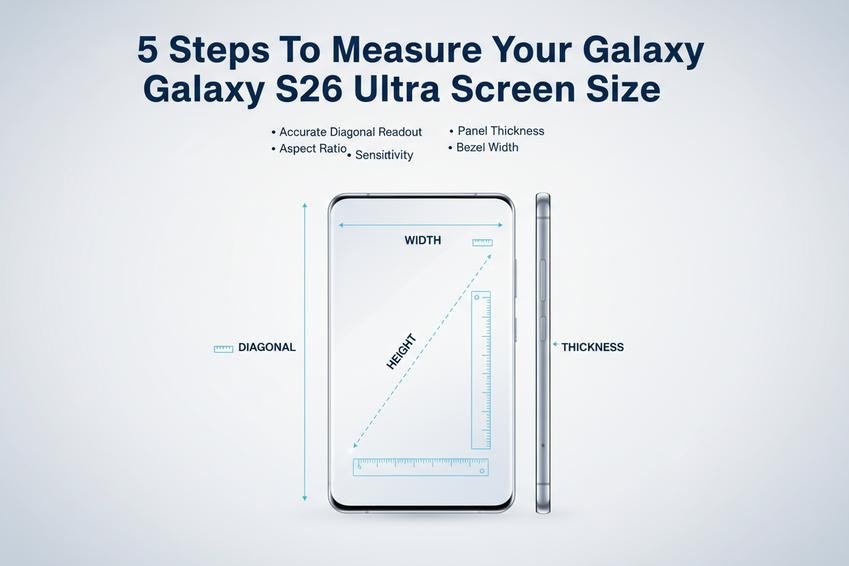
5 Steps To Measure Your Galaxy S26 Ultra Screen Size
Getting the Galaxy S26 Ultra screen size right isn’t just nerd talk—it helps with cases, protectors, and display comparisons. Break the phrase into Galaxy + S26 + Ultra + screen + size, and you’ll see why each detail matters when measuring this flagship phone display.
Positioning the Phone for an Accurate Diagonal Readout
To lock in a true diagonal measurement, setup matters more than people think.
- Place the device on a flat surface.
- Align it in proper device orientation (portrait works best).
- Stretch a measuring tape in a clean straight line.
Now go deeper:
- Identify the top display corner.
- Start from the inner screen edge, not the curved glass rim.
- Extend across to the opposite corner.
- Keep tension steady to avoid slack errors.
For the Galaxy S26 Ultra screen size, this diagonal read confirms the official Galaxy S26 display measurement without distortion from rounded edges. When customers at screen stocks compare protectors, this single reading often clears up confusion fast.
Calculating Aspect Ratio Using Screen Width and Height
The Galaxy S26 Ultra screen size isn’t just diagonal—it’s also about proportions.
- Measure screen width across the active panel.
- Measure screen height top to bottom.
- Divide width by height for the aspect ratio.
Dig a bit further:
- Confirm measurement units match (millimeters keep it clean).
- Cross-check against listed display resolution and pixel dimensions.
This ratio calculation shows how the Galaxy S26 screen size handles streaming and split-screen apps. A tall aspect ratio means more scroll room. A wider one favors video.
Verifying Panel Thickness with Precision Tools
Thickness affects repairs and frame fit, so don’t eyeball it.
- Use calipers or a micrometer for exact panel thickness.
- Measure from glass surface through the visible display layer.
- Note overall glass thickness before reinstalling parts.
Then break it down:
- Close the calipers gently around the edge.
- Avoid pressing into the curved lip.
- Record results for chassis alignment.
On the Galaxy S26 Ultra screen size profile, slim material density and tight tolerances matter for adhesive bonding. That’s why tech suppliers like screen stocks pay attention to micron-level differences.
Checking Touch Sensitivity Across the Active Area
Numbers alone won’t tell the full story. The active area needs to feel consistent.
Test points across the screen surface:
- Center
- Corners
- Edge zones
Watch for uneven touch response, delayed taps, or extra input lag.
Then evaluate:
- Swipe across horizontally.
- Trigger multi-touch gestures.
- Check gesture recognition accuracy.
A proper Galaxy S26 Ultra screen size reading includes confirming the capacitive touch grid covers the full display area, not just the visual panel.
Recording Bezel Width for Complete Dimension Data
The final detail is the bezel width, and it changes how big the phone feels in hand.
Measure:
- Inner screen border to outer device chassis edge.
- Each side individually for symmetry.
Organize findings like this:
- Top frame measurement
- Compare left and right
- Bottom frame measurement
- Note camera cutout spacing
These numbers reveal the true usable Galaxy S26 Ultra screen size versus overall dimensions. For buyers chasing that near bezelless design, this step seals the deal.
Bulk Phone Screen Purchases: Dimension Checklist
When buyers talk about the Galaxy S26 Ultra screen size, it’s not just hype. The Galaxy S26 Ultra screen size, Galaxy S26 screen dimension, and S26 Ultra display size all drive sourcing decisions. If you’re stocking in bulk, details matter. One wrong spec, and your whole batch feels off. Here’s how to keep it tight and drama-free.
Inventory Management Tips for Multiple 6.9-Inch Displays
For bulk orders tied to the Galaxy S26 Ultra screen size, align inventory around measurable specs:
- Core Display Metrics1.1 Confirm display size and screen diagonal (6.9-inch class).1.2 Cross-check aspect ratio against housing design.1.3 Match resolution and resulting pixel density to client grade (OEM, OLED copy, AMOLED premium).
- Performance Benchmarks2.1 Verify display technology (AMOLED vs OLED).2.2 Record supported refresh rate (120Hz, adaptive tiers).
- Labeling Workflow3.1 Tag cartons by S26 Ultra display size tier.3.2 Separate lots by calibration batch.3.3 Sync ERP codes with Galaxy S26 screen dimension specs.
Bulk suppliers like screen stocks keep SKU mapping clean so the Galaxy S26 Ultra screen size variants don’t get mixed up during peak season.
ESD Protection and Fragile Handling Best Practices
Handling panels built around the Galaxy S26 Ultra screen size calls for discipline:
- Electrostatic Control1.1 Use grounded mats to reduce electrostatic discharge.1.2 Seal units in certified anti-static packaging.
- Surface Protection2.1 Apply factory-grade protective film.2.2 Avoid flex pressure on curved edges.
- Storage & Transit3.1 Maintain dry storage conditions (40–60% RH).3.2 Use shock-absorbing trays for transportation safety.3.3 Audit cartons for visible cracks as part of damage prevention logs.
Small habits save thousands in returns.
Ensuring Chassis Fitment and Mainboard Connection Accuracy
The Galaxy S26 Ultra screen size must align perfectly with hardware tolerances:
- Dimensional Validation1.1 Measure physical dimensions down to 0.1 mm.1.2 Confirm frame compatibility with OEM housing.
- Connector Matching2.1 Identify correct connector type (board-to-board or FPC).2.2 Check flex cable length against routing path.
- Assembly Precision3.1 Align mounting points before final press.3.2 Inspect component alignment under magnification.3.3 Validate signal specs against interface standards.
When sourcing through screen stocks, these checks are already baked into QC, which keeps every Galaxy S26 Ultra screen size unit fitting like it should—no awkward gaps, no dead touch zones.
FAQs about Galaxy S26 Ultra Screen Size
How is the Galaxy S26 Ultra screen size officially measured?
The 6.9-inch display is confirmed through a precise diagonal measurement taken from corner to corner across the active display area, excluding the bezel-less design edges.
Key verification points during procurement:
- Panel size must match the official aspect ratio.
- Active display area should align with AMOLED panel calibration standards.
- Bezel width must not reduce usable screen dimensions.
A few millimeters off can disrupt chassis fitment and overall component integration.
Why does pixel density matter for the Galaxy S26 Ultra screen size?
Pixel density directly shapes how the 6.9-inch display feels in real use. At high pixel density levels:
- Text edges remain sharp under magnification.
- HDR10+ support renders smoother contrast transitions.
- Wide color gamut improves clarity under bright light.
Combined with LTPO technology and adaptive refresh rate control, visual sharpness stays consistent without overheating or flicker stress.
What affects perceived clarity beyond panel size?
Screen clarity depends on layered performance:
- AMOLED panel contrast depth
- HDR10+ support for dynamic brightness
- Anti-reflective layer reducing glare
- Oleophobic coating maintaining surface smoothness
Even with identical panel size, calibration standards and touch sensitivity tuning shape the final viewing experience.
Does Gorilla Glass Victus change usable display dimensions?
Gorilla Glass Victus improves scratch resistance and impact durability, yet its structural thickness slightly influences panel thickness tolerances.
| Component | Effect on Screen Size | Production Impact |
|---|---|---|
| Gorilla Glass Victus | Minor reduction in exposed active display area | Enhances durability |
| Anti-reflective layer | No size change | Improves visibility |
| Adhesive layer | Affects edge bonding | Impacts chassis fitment |
Durability rises, but precision assembly becomes critical.
How should touch and interface components be tested on bulk panels?
Inspection should feel methodical, almost surgical.
- Test touch sensitivity across the full active display area.
- Verify fingerprint sensor alignment under the display.
- Check under-display camera transparency consistency.
- Confirm stable haptic feedback through the digitizer assembly.
Any inconsistency signals deeper integration issues.
What packaging and compatibility checks are essential for bulk orders?
Protection and integration decide the final outcome.
Logistics focus:
- ESD protection inside foam-lined shipping containers
- Clear batch labeling for inventory management
- Strict fragile handling protocols
Technical confirmation:
- Flex cable length matches chassis fitment
- Connector type aligns with mainboard connection
- Firmware compatibility ensures calibration stability
- Thermal dissipation and adhesive requirements meet production standards
The Galaxy S26 Ultra screen size may be 6.9 inches, but precision around it defines real quality.







Recent Comments