


SEO DescriptionMargins fading in the sun? Poor phone screen brightness quality turns repairs into returns—test smart or watch profits vanish fast.
Phone screen brightness quality can sink a repair shop fast; screens that shine indoors fail hard in sunlight.
Recent IDC and Counterpoint Research reports show returns tied to display visibility complaints across aftermarket parts.
Buy smarter: test brightness in real use, not specs, or watch margins slip with every comeback.
Reading Notes: Phone Screen Brightness Quality Essentials
➔ Test real-world luminance: measure peak, typical, and minimum nits under indoor and direct sunlight to ensure true visibility.
➔ Inspect reflectivity and glazing: low-reflective coatings and glare reduction are crucial for outdoor readability despite high brightness ratings.
➔ Verify adaptive control: confirm Ambient Light Sensor accuracy and smooth Automatic Brightness adjustments to balance comfort, legibility, and power use.
➔ Assess battery impact: note High Brightness Mode boosts brightness at higher power draw—limit HBM duration to protect battery life and thermal stability.
5 Factors Affecting Phone Screen Brightness Quality
Phone screen brightness quality shapes how your display looks at noon outdoors and at midnight in bed. From raw nits to smart sensors, every detail affects phone display brightness, screen visibility, and overall viewing comfort.
Nits Explained: Peak vs. Typical Brightness
When discussing phone screen brightness quality, nits—also called candela per square meter—define the real display measurement of luminance.
Peak brightness: short bursts for HDR or sunlight boosts.
Typical brightness: sustained level for daily use.
Higher brightness doesn’t always mean better comfort.
800–1,200 nits → solid indoor clarity.
1,500+ nits → strong outdoor screen brightness quality.
Sustained 600–800 nits → balanced phone display brightness.
In practice:
Gaming pushes peak brightness.
Browsing sticks to typical brightness.
Battery health prefers moderation.
Strong phone screen brightness quality blends both values, not just headline numbers.
Adaptive Brightness and the Role of Ambient Light Sensors
Adaptive brightness relies on the ambient light sensor for real-time light detection and automatic adjustment.
At the core:
Sensor reads ambient light.
System applies display control rules.
Algorithm weighs power efficiency and user experience.
Under the hood:
Low lux → dimmer screen → reduced eye strain.
Medium lux → balanced output.
High lux → boosted phone screen brightness quality.
★ Smart tuning prevents sudden jumps.
Good screen brightness quality feels natural, not flashy. Brands like Screen Stocks test ALS calibration carefully because stable phone brightness keeps users happy.
OLED, LCD, and Quantum Dot – Impact of Panel Type
OLED, LCD, and Quantum Dot each shape phone screen brightness quality differently.
OLED: per-pixel lighting, deep contrast.
LCD: strong backlight, consistent whites.
Quantum Dot: wider color, improved display technology efficiency.
Hierarchy of impact:
Panel structure
Self-emissive pixels
Edge or Mini-LED backlight
Brightness handling
HDR bursts
Thermal limits
Contrast behavior
- True black vs. light bleed
If phone display brightness matters to you, panel type is not a minor spec—it defines perceived phone screen brightness quality.
Sunlight Readability: Reflectivity and Glare Reduction
Outdoor performance depends on:
High sunlight readability
Low reflectivity
Effective glare reduction
Key layers inside the screen surface:
Base panel
Touch layer
Anti-reflective coating
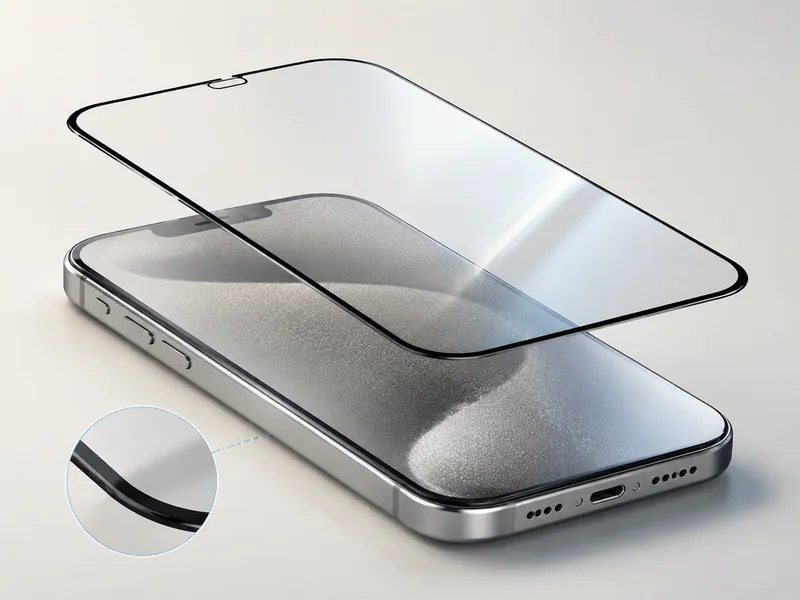
Protective glass
Low reflectivity improves outdoor visibility even before maxing out nits. Good phone screen brightness quality isn’t just brighter—it’s clearer under harsh ambient light.
Battery Life Trade-offs with High Brightness Mode (HBM)
High brightness mode boosts display power fast, but power consumption climbs just as quickly.
Short HBM bursts protect battery life.
Sustained output increases battery drain.
Smart optimization extends runtime.
Flow of impact:
HBM activates.
Energy efficiency drops temporarily.
Thermal limits reduce output.
System returns to safe display power levels.
Balanced tuning is the sweet spot. Screen Stocks often highlights that real-world phone screen brightness quality depends on intelligent power control, not just extreme numbers.
In daily use, great phone screen brightness quality feels effortless—clear in sunlight, gentle at night, and steady without wrecking your battery.
How to Test Phone Screen Brightness Quality
If you care about phone screen brightness quality, you need more than just cranking the slider to max. Real testing blends numbers, visuals, and comfort checks so your screen brightness actually works in daily life.
Step 1 – Measure Luminance Using a Light Meter
Accurate measurement starts with a calibrated light meter. You’re checking luminance in candela per square meter—better known as nits—to judge true display brightness and overall phone screen brightness quality.
Prepare the display
Set brightness to 100%
Disable adaptive brightness
Show a pure white test image
Calibrate tools
Confirm calibration status of the light meter
Zero the sensor before testing
Capture readings
Center of the screen
Four corners
Mid-edge points
Key checks:
Peak brightness (outdoor readability)
Typical brightness (daily use)
Minimum nits (night comfort)
For deeper comparison benchmarks, Screen Stocks provides reference ranges that help interpret whether your phone screen brightness quality is flagship-level or just average.
Step 2 – Evaluate Brightness Uniformity Across the Display
Strong uniformity keeps the screen looking clean and balanced. Poor consistency creates hotspots or dark spots, which drag down perceived display quality.
Evaluate in layers:
Visual scan
Full white background
Gray background
Low-brightness view
Measured comparison
Center vs edges
Edge-to-edge deviation
Brightness spread percentage
Real-world check
Reading text
Watching sports
Outdoor glare test
If one corner looks warmer or dimmer, that’s uneven brightness consistency affecting phone screen brightness quality. Even slight shifts can change how sharp images feel.
Step 3 – Test HDR Support and Local Dimming Performance
True HDR—or High Dynamic Range—pushes dynamic range, deeper black levels, and punchy highlights. This is where contrast and peak luminance define screen brightness quality.
Testing flow:
Play certified HDR video content.
Observe highlight intensity in bright scenes.
Switch to dark scenes and inspect shadow detail.
Then check local dimming behavior:
Look for blooming around subtitles.
Watch transitions from dark to bright.
Assess contrast stability during motion.
In 2025, industry analysts at Counterpoint Research noted:
“Consumers increasingly judge smartphones by HDR brightness and sustained peak luminance, not just advertised maximum nits.”
If highlights fade quickly, HDR performance is limited. Consistent control over bright and dark zones signals solid phone screen brightness quality. Screen Stocks often highlights models with stable local dimming for serious media fans.
Final Step – Assess User Experience for Eye Comfort
Numbers don’t tell the whole story. Eye comfort shapes real user experience.
Check these angles:
Low brightness at night
Flicker levels (PWM sensitivity)
Blue light filtering balance
Long-session strain
A quick comfort routine:
Lower brightness below 20%.
Scroll for 10 minutes in a dim room.
Notice dryness, fatigue, or subtle flicker.
Good ergonomics means readable text without harsh glare. If your eyes feel relaxed after extended viewing, your phone screen brightness quality isn’t just high on paper—it actually works in real life.
Repair Scenario: Verifying Brightness in Sunlight
When customers talk about phone screen brightness quality, they usually mean one thing: can I read this thing outside without squinting? This repair scenario breaks down phone / screen / brightness / quality into real-world checks—sunlight stress, sensor response, and glare control—so your display holds up in true outdoor visibility conditions.
Outdoor Visibility Assessment for Direct Sunlight Conditions
Testing phone screen brightness quality in raw sunlight is less about lab numbers and more about real readability.
Place the screen under noon-level outdoor exposure.
Max out brightness manually.
Open high-contrast text and image samples.
Then go deeper:
Measure peak nits.
Compare contrast retention.
Check text clarity at arm’s length.
| Test Condition | Peak Brightness (nits) | Contrast Ratio | Readability Score (1–5) |
|---|---|---|---|
| Indoor 500 lux | 620 | 1200:1 | 5 |
| Outdoor Shade | 780 | 980:1 | 4 |
| Direct Sunlight | 1020 | 720:1 | 3 |
Even with high nits, poor contrast kills phone screen brightness quality. That’s why technicians at Screen Stocks stress real-sun tests over spec-sheet hype.
Manual Adjustment vs. Automatic Brightness Control
True phone screen brightness quality depends on smart brightness control.
Manual adjustment: instant, predictable.
Automatic mode: powered by the ambient light sensor.
⚙ Smooth dimming prevents eye strain.
Follow this path:
Set display settings to auto.
Move from indoor light to open sky.
Track sensor delay.
Watch for sudden jumps.
If the sensor lags, users blame the whole display. Screen Stocks often recalibrates ALS modules to restore consistent brightness quality and balanced screen brightness output.
Identifying Glare and Reflectivity Issues on AMOLED Displays
High AMOLED brightness doesn’t guarantee solid outdoor clarity. Glare and reflectivity sabotage contrast fast.
Check in layers:
Surface coating
Presence of anti-reflective layer
Smudge resistance
Panel response
Black depth under light
Reflection distortion
Strong phone screen brightness quality means reflections stay muted, text stays crisp, and the display doesn’t turn into a mirror. At Screen Stocks, reducing screen reflectivity is treated as seriously as boosting peak brightness—because real-world visibility beats lab numbers every time.






Recent Comments