


iPhone 16 Display Specs:
Screen Sizes, Resolution, and Bezels Explained
You blink twice, squint at the box in your hand, and think: “Wait—this iPhone 16 screen size is bigger than my rent check.” You’re not wrong. Apple’s gone bold again, stretching screens across palms like widescreen TVs for ants. And folks? Buyers are eating it up.
Bigger display, brighter pixels, thinner bezels—it’s not just a looker; it’s a seller.
According to Counterpoint Research, nearly 70% of smartphone upgrade decisions in late 2023 were influenced by display quality alone. That’s right—size does matter when margins and customer satisfaction hang in the balance.
Thing is… if you’re sourcing parts or selling phones wholesale without knowing exactly what that screen can handle—you’re gambling with returns and regrets.
So pull up a chair (or stand dramatically next to a window), because we’re about to crack open the specs that make these displays worth their weight in glass and gold.

Essential Insights on iPhone 16 Screen Size Selection
Aspect Ratio Considerations
The iPhone 16’s aspect ratio significantly impacts display performance, affecting readability and multitasking efficiency.
Display Features
Key features like LTPO OLED technology and ProMotion refresh rates optimize both battery life and user experience.
Size Comparison
Comparing 6.1-inch displays to 6.7-inch panels reveals trade-offs between portability and immersive viewing space.
Personal Preferences
Key factors for selecting the ideal iPhone 16 screen size include usage scenarios, hand size, and individual preferences.
Understanding iPhone 16’s Aspect Ratio
The iPhone 16 screen size isn’t just about inches—its aspect ratio plays a huge role in what you actually see and how it feels in your hand.
The Impact of Aspect Ratio on Display Performance
A phone’s aspect ratio can totally change how you interact with apps, text, or even games—and it’s not just about looking pretty.
So when you’re checking out the new iPhone 16 screen size, remember that the shape matters as much as the size itself.
Exploring Different Aspect Ratios
Not all phones stick to one formula—different devices test out different shapes to balance visuals and usability.
Traditional Widescreen
Common Devices: Older smartphones
Ideal Use Case: Video streaming
Slightly Taller
Common Devices: Mid-gen Androids
Ideal Use Case: Social media & browsing
Ultra-tall Modern Look
Common Devices: Recent flagships
Ideal Use Case: Reading & app navigation
Dynamic Layout
Common Devices: Galaxy Fold / Z Flip
Ideal Use Case: Multitasking
The current buzz around the rumored iPhone 16 screen size suggests Apple might tweak its ratio slightly again—possibly aiming for that sweet spot between cinematic viewing and ergonomic scrolling.
How Aspect Ratio Influences Video Playback
“Three out of five users prefer phones with fewer black bars during playback,” according to DisplayMate Labs’ Q1 report from early 2024—and that’s where aspect ratio steps in big time.
- Watching movies filmed in a wide format like Cinemascope? You’ll get noticeable black bars on a standard phone unless it matches that ultra-wide shape.
- YouTube creators mostly shoot in 16:9, so anything beyond that crops or adds padding unless adjusted properly by software.
- TikTok and Reels are vertical-native now—a tall screen such as a 19.5:9 feels tailor-made for these formats without awkward cropping or scaling issues.

If you’re eyeing the new model, the rumored taller design could mean better full-screen immersion but might still require some clever content optimization depending on what you’re watching.
In short, don’t just fixate on the raw number behind the iPhone 16 screen size—how it handles your favorite videos is what counts when push comes to shove.
Four Essential Features of iPhone 16 Displays
The new iPhone 16 screen size isn’t just about dimensions—it’s a masterclass in visual tech. Let’s break down the four key display features that are changing the game.
LTPO OLED Technology
A Game Changer for Battery Life.
Whether you’re checking socials or binge-watching, the iPhone 16’s screen tech runs smarter—not harder.

ProMotion Refresh Rates
Scrolling on an iPhone 16 feels like gliding on glass, thanks to its buttery-smooth 120Hz refresh rate. You’ll notice it most when you swipe between apps—no lag, no stutter, just clean transitions.
In gaming mode, the adaptive refresh kicks up automatically, keeping action crisp without draining power unnecessarily.
That’s what happens when a display understands what you’re doing in real time and adjusts accordingly using smart ProMotion logic.
It’s not hype—the fluidity really does change how you interact with your phone every single day.
Retina XDR Qualities
Unmatched Color Accuracy and Brightness.
Each pixel gets tuned individually for accuracy. With support for advanced formats like Dolby Vision baked right in, every movie night becomes a mini home theater.
Display Clarity Standards
Crisp visuals aren’t optional anymore—they’re expected.
How iPhone 16 Screen Size Affects User Experience
Tiny tweaks in screen size can totally flip the way we use our phones. Let’s break down how different display sizes, formats, and pixel density shape your experience with the iPhone 16 screen size.
6.1-Inch Displays vs. 6.7-Inch Panels: A Comparative Analysis
Portability vs. Immersion
The 6.1-inch display is pocket-friendly, lighter, and easier to grip—ideal for one-handed use on busy commutes or during workouts. The 6.7-inch panel, on the other hand, is a multitasking beast—perfect for binge-watching or editing docs on the fly.
Battery Consumption
Bigger screens tend to draw more power, but newer models like the iPhone 16 balance this with smarter battery optimization.
User Preference by Activity Type:
So if you’re always on-the-go, that smaller form factor wins hands down—but if you’re glued to your screen all day, bigger might just be better.
Custom Screen Formats: Tailoring User Needs and Preferences
▪️ People don’t all use their phones the same way—and that’s where customizable screen formats come in handy.
▪️ Some users want a taller aspect ratio for vertical scrolling; others prefer wider displays for side-by-side apps or videos.
▪️ With the iPhone 16, Apple leans into this idea by offering subtle format shifts between models—like ultra-thin bezels or dynamic layout scaling—that adapt based on app usage and orientation.

For instance:
- Gamers lean toward edge-to-edge immersive formats.
- Business users favor split-screen support with clear segmentation.
- Casual users often stick with default settings but appreciate adaptive brightness.
The takeaway? It’s not just about size—it’s about how format supports what you do every day.
The Role of Pixel Density in Display Sharpness
These are some of the things that high pixel density brings to life on your phone screen—and it matters more than most people think when picking between devices like the standard and Pro versions of the iPhone 16 lineup.
Here’s how it plays out:
So while screen size grabs headlines, it’s really pixel density doing a lot of behind-the-scenes magic for your daily scrolls and swipes across every version of the new iPhone 16 screen size options.
What’s the Ideal iPhone 16 Display Size for You?
Choosing your ideal iPhone 16 screen size can feel like picking your favorite dessert—depends on what hits the spot. Here’s how to figure out which one fits your vibe best.
Evaluating 6.1-Inch and 6.7-Inch Displays
The 6.1-Inch Go-To
If you’re always on the move or hate bulky pockets, the 6.1-inch display is your go-to—it’s lighter, easier to grip, and still packs a punch visually.
✦ One-handed use is much more manageable with the smaller model—especially if you’re juggling coffee and emails during your commute.
The 6.7-Inch Dream
The 6.7-inch display, meanwhile, is a dream for binge-watchers and mobile gamers who want more screen real estate without lugging around a tablet.
The bigger model wins when it comes to immersive media consumption—it turns Netflix into a mini-theater experience right in your hands.

Who fits where?
- Casual users tend to lean toward compact phones—they text, scroll Instagram, maybe stream a bit.
- Power users (think mobile photographers or spreadsheet warriors) often crave that extra space only bigger displays offer.
- Seniors or folks with visual needs may prefer larger fonts and icons on wider screens.
Split between portability and viewing pleasure? Think about what you do most: Are you typing up notes while standing on a train? Or watching YouTube tutorials all day?
- Portability: The 6.1-inch slips into any pocket.
- Viewing experience: The 6.7-inch gives videos room to breathe.
- User types: Students, professionals, creatives—all have different needs from their device’s size.
If you’re after balance—something that’s not too small but not massive either—the mid-size might be where it’s at.
And hey, phone-stocks has some killer deals that make both sizes way more accessible than you’d expect.
Key Factors to Consider
Your daily habits matter—whether it’s doomscrolling Twitter or editing photos on Lightroom Mobile, each task benefits differently from screen dimensions.
Don’t forget about hand comfort—larger phones look cool but can be clunky if they don’t fit well in your palm or pocket.
Portability vs display real estate is always the trade-off.
- Screen resolution affects clarity—but both sizes of the iPhone 16 screen size offer sharp visuals.
- Battery life typically lasts longer on larger models due to roomier batteries—but also powers more pixels.
✦ Bezel design plays into how big the phone feels without actually increasing display space—a thinner bezel makes even a smaller screen feel expansive.
If you’re deep into content viewing (YouTube rabbit holes at midnight?), then going big might be worth it—even if it means carrying around something chunkier during workouts or hikes.
Prefer sleekness? Go small.
Want cinematic vibes? Go big.
Texting one-handed? Small wins again.
Watching Twitch streams? Big takes it home.
Consider ergonomics too—not just how it looks but how it feels after hours of scrolling or gaming sessions that stretch past bedtime.
Ultimately, think about what fits naturally into your lifestyle—not just what looks good online—and let that guide your pick of display size for an upgraded everyday experience with the new iPhone 16 screen size options available today.
FAQs about iPhone 16 Screen Size
The feel of a 6.1-inch display fits snugly into the hand, ideal for everyday portability; its cost-per-unit is lighter too.
The imposing presence of a 6.7-inch panel speaks to audiences hungry for expansive visuals and high pixel density requirements — markets that trade in cinematic clarity value it highly.
Wholesalers often balance both formats, tuning orders like an orchestra between price sensitivity and premium demand.
- Adjusts refresh rates dynamically, sipping less power during idle moments and extending battery life in real-world conditions.
- Runs cooler under environmental stress testing compared to certain AMOLED alternatives, reducing customer complaints from overheating issues.
- Appeals to eco-conscious buyers seeking energy-efficient solutions without sacrificing Retina XDR qualities or ProMotion smoothness.
High-resolution screens with flawless subpixel arrangements aren’t just numbers on spec sheets — they create razor-sharp images that professional creatives notice instantly.
Display clarity standards shape buyer perception: sharper edges translate into more convincing photography tools or design interfaces bundled with replacements at wholesale scale.
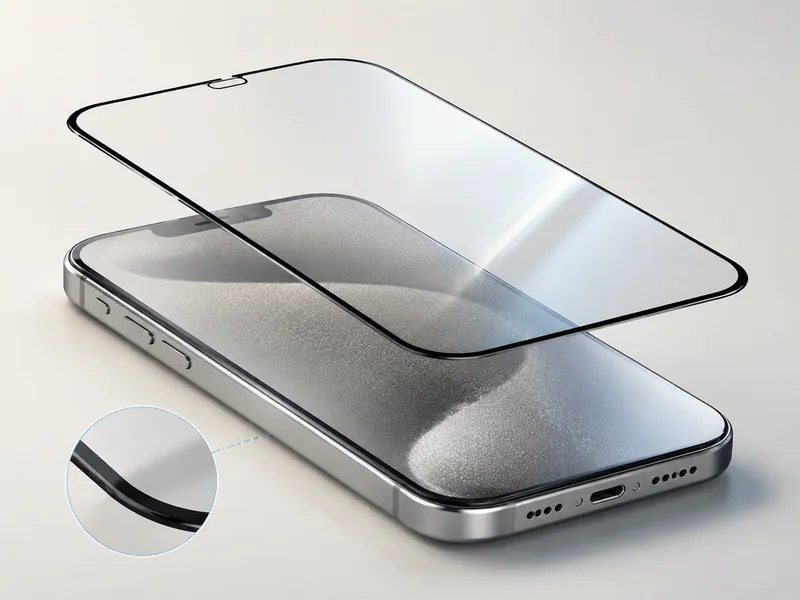
Tempered glass shields inspire confidence through drop test compliance; scratch-resistant coatings promise longevity for devices carried daily; oleophobic surfaces resist oily smears with stubborn pride; anti-glare films speak to outdoor users who battle sunlight glare as part of their workday routine. Buyers weigh these surface treatments almost like signature finishes before committing to volume contracts.







Recent Comments